Let's Shape The Future Of Your Investments!
Natoque iaculis cursus augue urna commodo aptent morbi tortor porttitor quis ornare.

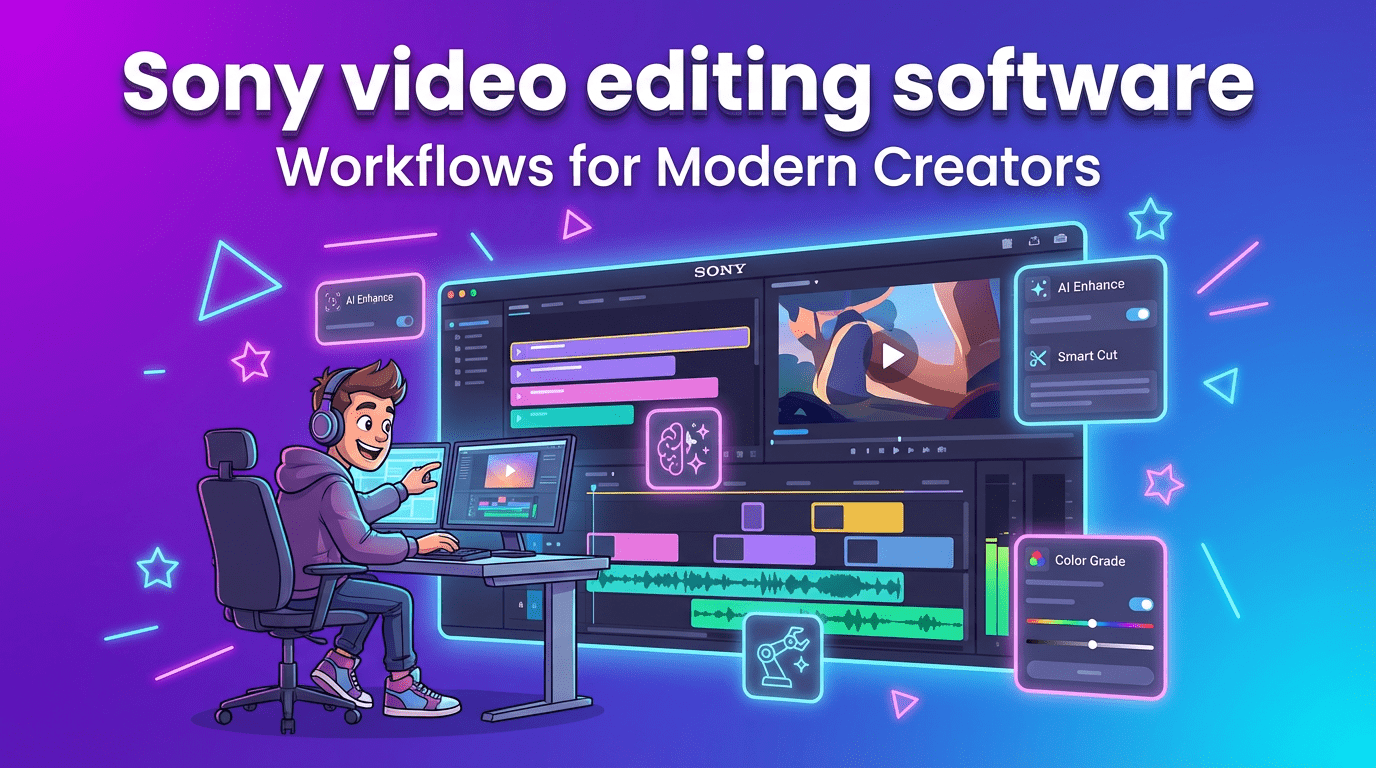
When I sit down with Sony video editing software, I’m not looking for buttons to press, I’m listening for the rhythm of the image. Sony’s tools, especially Vegas Pro and Catalyst Browse, have been learning to understand light, texture, and timing the way a careful editor does on a quiet afternoon. In this guide, I’ll show you how Sony’s AI touches help you keep the feeling of your footage intact while saving time. If you’re a YouTuber, a brand storyteller, or an artist who cares about soft natural light and emotionally coherent pacing, this is how the software meets you where you are, and where it still hesitates.
Sony’s path with AI in editing has felt less like a sudden leap and more like a slow, attentive inhale, small features that protect rhythm, identity, and color rather than flashy tricks. Vegas Pro began weaving AI into practical tasks: detecting scenes, isolating subjects, smoothing motion, translating dialogue into editable text, and stabilizing shaky moments without plasticizing the texture. Catalyst Browse focused on the front porch of the edit: organizing, reading camera intent (color spaces, exposure, lens data), and giving your media a calm, labeled home before the creative cut.
In Vegas Pro, the most helpful AI touches are the ones that stay out of the way. Scene detection finds the natural breaks that your eye already feels. AI masking holds onto a face or product with a gentle grip, tight enough to be useful, loose enough to keep the skin’s softness. Speech-to-text and text-based editing make dialogue-driven pieces feel approachable: you can trim by thought rather than by frame, which is kinder for beginners and very fast for creators on a schedule. Upscaling and denoising can rescue imperfect footage, though I’m careful here, sometimes the image becomes “overly protected,” a little too polished for its own soul. Used lightly, it’s a relief.
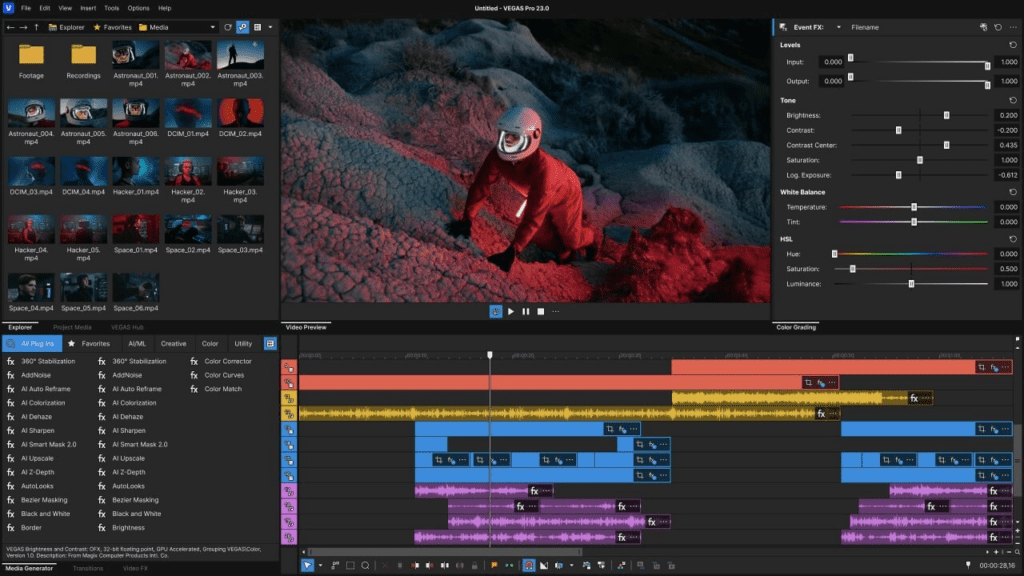
Catalyst Browse understands Sony cameras like an old friend. It reads camera color science with respect, lets you audition looks without harming the original, and manages clips with sensible metadata. I often start here because it feels like airing out a room before guests arrive. Tags, ratings, and notes let you separate strong takes from hesitant ones. It’s not a finishing tool: it’s a gentle prelude that gives Vegas Pro a clean handoff with a sense of order and emotional intention.
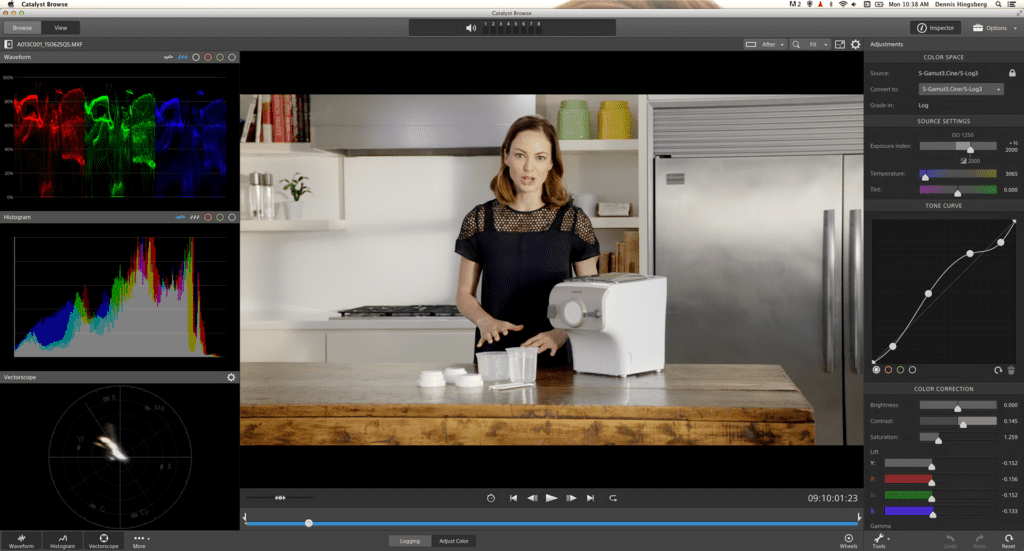
Sony’s AI in editing isn’t about spectacle. It’s about honing the silent choices, the cut you feel before you make it, the color that feels true to skin at golden hour, the subtle steadiness that stops a viewer’s breath from catching at the wrong time.
These are the moments where the software takes over the chores so you can remain in the scene emotionally.
When I test scene detection in Vegas Pro, I look for moments where the cut should arrive with the change in gaze, not just the change in pixels. Vegas Pro is usually respectful here. It finds chapter breaks cleanly, and it’s quick. I still skim the timeline for those small emotional pauses, the breath before a laugh, the hand relaxing on a mug, so the cut doesn’t feel abrupt. Smart splitting works best when motion is calm: in fast sequences, it sometimes tries too hard and needs a human nudge.
Auto-correction saves time on inconsistent lighting, especially for vlogs and quick brand videos. Vegas Pro tends to keep skin within a believable warmth, which I appreciate. Still, I always check for “color temperature drift”, a slow slide cooler or warmer across a sequence, which can make the background feel like it’s breathing in a way that doesn’t feel natural. A light manual trim afterward maintains authenticity while keeping the AI’s time savings.
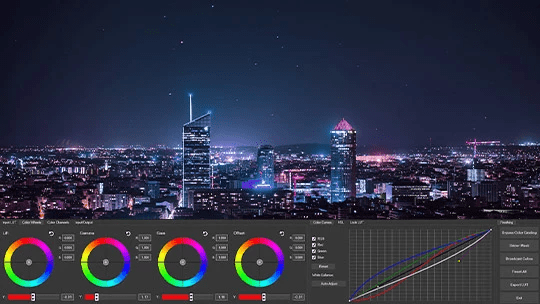
This is where AI in Sony’s ecosystem tries to read intention: framing, motion, and pacing that support a story rather than flatten it.
Framing suggestions are subtle helpers. In interviews, the tool is good at protecting eye-line and leaving comfortable headroom. On handheld city footage with busy edges, it can become a little cautious, centering too much and stripping personality. I prefer to let it propose and then refine, treat it like a quiet assistant who offers options, not rules.
When I experiment with pacing tools, silence detection, pause trimming, and beat alignment, I listen to the rhythm. Vegas Pro trims hesitations neatly, but if you remove every pause, the clip loses its softness. I keep micro-pauses that carry feeling. The best outcome: dialogue breathes, cuts feel intentional, and the inner rhythm of the piece stays steady. If the eyes hesitate for a moment, I let that moment remain.
The most graceful edits happen when each tool has a role: Catalyst for quiet organization, Vegas Pro for storytelling decisions, and a few trusted assistants that add light touches.
Some creators pair Vegas Pro with transcription or cleanup tools for speed. My rule is simple: anything that changes texture must be applied gently and tested on faces first. If skin starts to look plastic or hair edges shimmer, it’s too much. I often look to professional OpenFX plugins for tasks like restoration, as they tend to respect the organic nature of film grain more than basic automated tools. For captions or translations, keep the typography calm and legible so it doesn’t steal light from the image.
Organization is emotional care for your project. When media is named, grouped, and tagged, your attention can rest on performance and light.
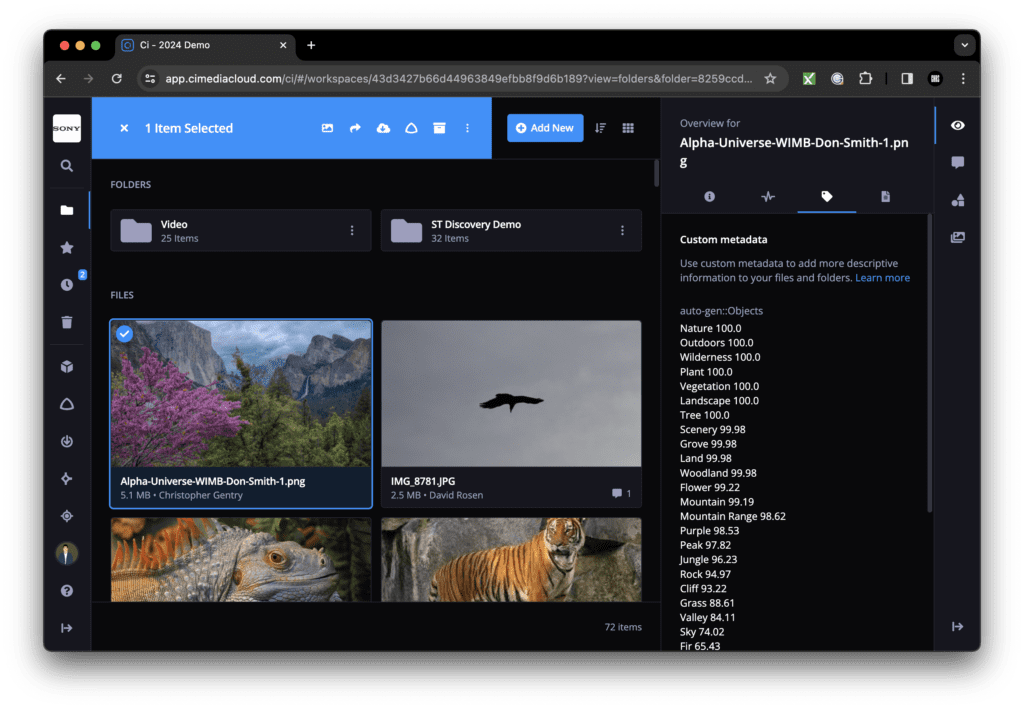
Catalyst Browse shines here. Auto-grouping by camera, date, and scene keeps sprawling shoots coherent. I like to add simple color labels, Warm, Neutral, Night, to guide later grading choices. In Vegas Pro, bins and smart searches build on that logic so you can find the shot with the sincere smile without hunting.
Let AI propose tags, location, lens hints, spoken keywords, and then soften the edges with your own notes. If a scene carries “quiet forgiveness” or “nervous energy,” write that down. These human tags may feel poetic, but they help maintain emotional continuity when you’re tired and the timeline gets dense.
Sony video editing software is most helpful when deadlines compress and you still want the image to feel alive.
Corporate projects ask for clarity without sterility. AI-assisted color balance in Vegas Pro brings consistency across varied meeting rooms and mixed lighting. Silence trimming keeps interviews focused, while gentle stabilization calms handheld b-roll so it feels intentional, not hurried.
Templates in Vegas Pro can carry lower thirds, transitions, and brand colors so you don’t rebuild every week. I recommend restraining motion graphics, quiet fades, steady type, soft edges. If AI suggests more aggressive cuts, listen to the footage instead. The brand feels more trustworthy when the rhythm is calm and human.
Artists and documentarians need subtlety. Sony’s tools can help without dictating.
For doc work, speech-to-text and text-based editing let you shape narrative before the fine cut. I keep markers for emotional turns, when a voice cracks or the light warms on a face. AI scene detection finds the scaffolding: you decide where to let silence stand. Noise reduction can save archival clips, but leave a trace of air so the past still breathes.
Short-form needs speed without losing identity. Auto reframing and composition aids can keep a face centered for vertical formats, though I re-check hands and props so nothing meaningful gets cropped. For color, a warm, consistent palette helps viewers recognize you instantly. If the background starts pulsing after an aggressive filter, pull back: the image is asking for space.
I expect Sony’s AI approach to stay steady and service-oriented, helping you move faster while keeping visual honesty, aligning with modern post-production workflows that value efficiency without sacrificing artistry.
What I’m watching for: smoother identity tracking on faces through tricky light, more respectful background separation that doesn’t flatten depth, and pacing tools that recognize emotional beats rather than just silences. Small upgrades to captioning, cleaner line breaks, better timing with breath, would make social editing feel more human and less rushed.
Gentle closing thought: Sony video editing software is at its best when the AI disappears and the feeling remains. Use it to clear the path, not to pave over the terrain. Let the light stay tender, the motion steady and intentional, and the story breathe at its natural pace. That’s where audiences lean in, and stay.