Let's Shape The Future Of Your Investments!
Natoque iaculis cursus augue urna commodo aptent morbi tortor porttitor quis ornare.



A good social media video editor shouldn’t just cut footage, it should hold a mood steady. When I’m shaping a 30-second story for TikTok or a calm tutorial for YouTube, I’m listening for the inner rhythm of the visuals. Light is emotion. Color is temperature. Motion is how the heart breathes. AI tools can help, but only if we guide them gently. In this piece, I’ll show you how I approach AI-assisted editing so your videos feel consistent, cinematic, and emotionally coherent, without falling into the uncanny valley that can make viewers turn away.
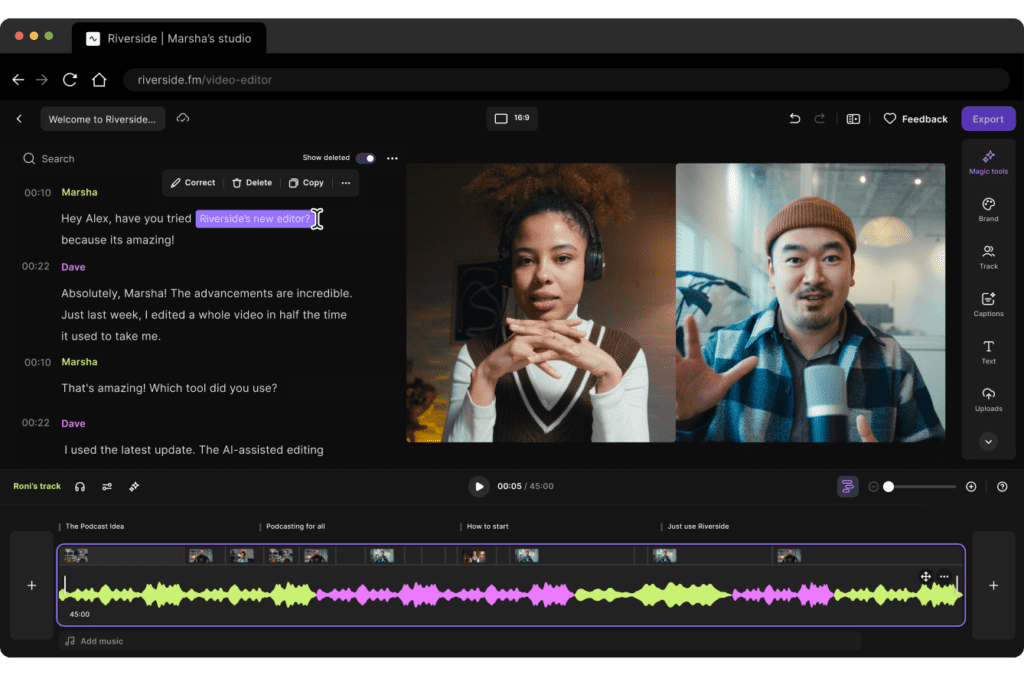
Traditional timelines are honest but unforgiving. When you’re piecing together a week of clips, your energy changes from morning to night, and so does your lighting, skin tone, and tone of voice. I used to spend hours matching exposure and color, nudging transitions until the edit stopped twitching. The result was fine, but my consistency suffered. Some scenes felt warm and intimate, others cool and distant. The story lost its quiet thread.
A modern social media video editor, guided by AI, can watch for emotional mismatches. It won’t replace your taste, but it will protect it, suggesting trims that honor pacing, aligning color tone across clips, straightening shaky moments without hard edges. The light feels gentle rather than anxious. The motion breathes instead of panting. When the baseline is steady, your voice can carry.
I notice the time savings most in the small, repetitive tasks. Automatic captioning that actually respects your cadence. Scene detection that finds the natural exhale between sentences. Color suggestions that nudge a cold frame toward skin-friendly warmth. These aren’t flashy: they are protective.
On a typical content week, I reclaim 10–12 hours by letting the editor rough in the structure: pull selects, propose a flow, set a cohesive color baseline, and pre-generate captions. I step in for the feeling work, micro-timing a cut to a breath, softening highlights on a face, letting a moment linger half a second longer so the viewer can stay with me. The tool handles the weight: I keep the tenderness.

If your feed lives on textures, hands on fabric, steam from a cup, streetlight on wet pavement, look for editors that favor gentle stabilization, subtle film-like grain options, and easy color presets with soft contrast. I want cinematic B-roll that looks intentionally quiet, not sharpened into plastic. The best fits let me control highlight rolloff and keep skin tones from turning orange. The B-roll should hum underneath your voice, not shout over it.
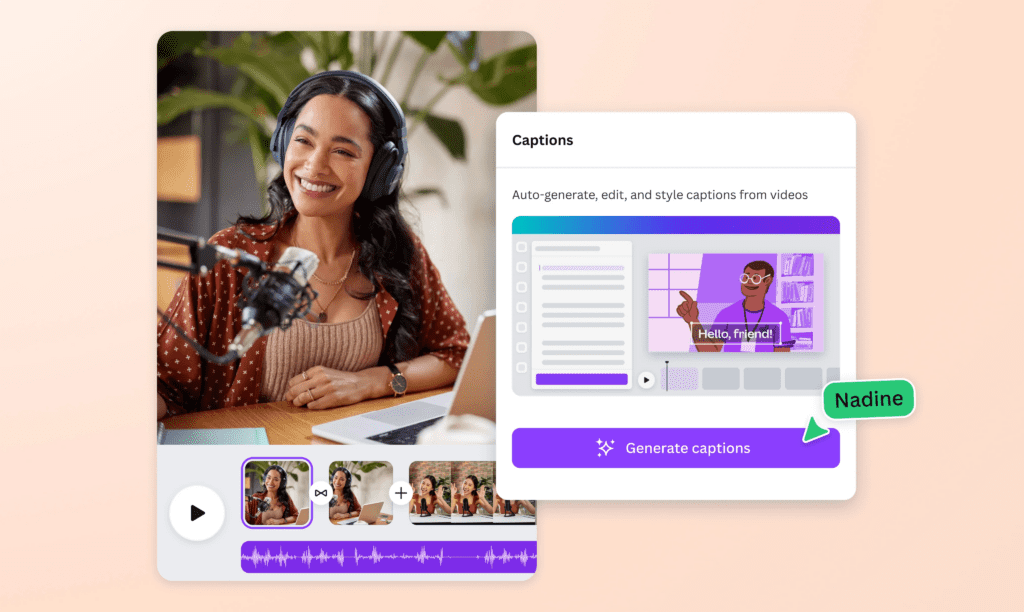
Teaching on camera asks for clarity and kindness. I like editors that auto-caption with high accuracy and leave room for breathable typography, legible fonts, enough margin, nothing frantic. Smart silence detection is helpful, but only when it treats pauses as part of the message. I often keep gentle background color under captions to cradle the text without stealing attention. The pacing should feel like a conversation at a comfortable table.
If you don’t appear on camera, the editor needs to be a reliable scene partner. Prioritize search that surfaces authentic stock footage (not overly glossy), voiceover controls with natural warmth, and quick tools to match color across mixed sources. I watch for how the tool blends edges, cuts between different clips shouldn’t click like loose tiles. The background shouldn’t breathe unnaturally: it should sit still and let your story carry.
When I draft prompts, for visuals, titles, or even B-roll search, I lead with feeling and light:
This keeps the tool oriented toward tenderness rather than spectacle. The light should feel gentle but slightly sure of itself. If the first pass looks cold or glossy, I ask for warmer temperature, softer highlights, and more breathable space around the subject.
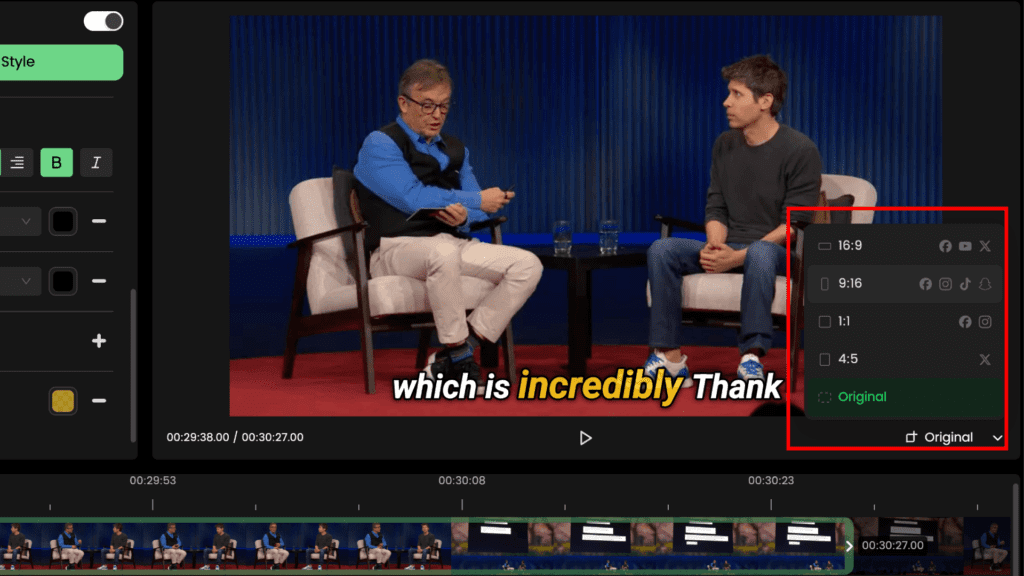
I choose the frame before I choose the cut. For TikTok and Reels, 9:16 gives intimacy, faces fill the world, gestures land closer to the viewer’s chest. For YouTube long-form, 16:9 invites wider storytelling: for Shorts, I still keep 9:16 but simplify compositions. When I reframe, I always protect headroom and hands. Selecting the right aspect ratio matters—cropping a fingertip breaks empathy more than people realize.
If you’re weaving in AI portraits or animated moments, keep identity sacred. Match skin tone, eye color, and proportions from scene to scene. I often keep a small reference frame pinned off to the side, a still that carries the exact warmth and gaze I want. If the eyes hesitate for a moment or drift, I reset the pose and soften the light rather than pushing sharpness. Texture should feel alive, not waxy. Hair should settle, not sparkle.
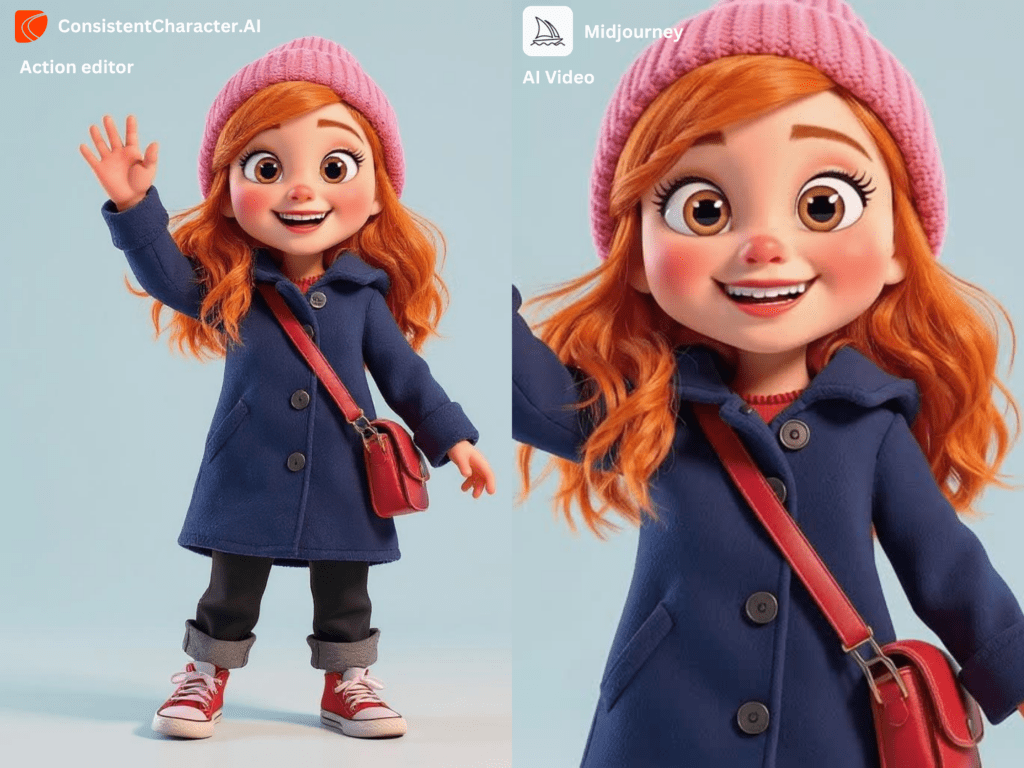
Fast movement exposes AI’s nerves. It struggles a little with quick pans or hands entering the frame. I reduce the speed of transitions, prefer gentle push-ins over whiplash zooms, and rely on subtle image stabilization that respects edges. If background lines start to wobble, I hold the shot longer or cut earlier. Motion is the inner rhythm, steady, intentional, emotionally paced.

When a face looks too perfect, I add small imperfections: a whisper of grain, slight texture in the skin, tiny variance in lip color. I soften catchlights so they don’t glare. If the model becomes shy in darker scenes, eyes dim, smile stiff, I lift shadows just enough to find the person again. The goal isn’t realism for its own sake: it’s emotional trust.
I start with a gentle S-curve and warm midtones, then protect whites from turning milk-blue. Skin sits best when reds aren’t shouting. If the room feels cold, I warm the practical lights (lamps, candles) and leave the walls neutral. This creates tender color contrast, the subject glows without becoming orange. Color is emotional temperature: you’re guiding how close the viewer leans in.
Even beautiful images feel thin without sound that breathes. I tuck a low, steady bed beneath voiceover, nothing dramatic, just a heartbeat. Room tone stitches cuts together. Soft foley (a cup set down, fabric moving) makes AI visuals feel grounded. When a transition lands on a small sound, the cut disappears. Viewers stay because the world feels coherent.

I see this often: a warm clip followed by a cooler one, and the audience feels the draft. Match color temperature early. If a clip resists, nudge exposure and white balance until skin returns to life. The light should not argue with itself.
Swipe, zoom, spin, used once, fine. Repeated, they feel like nervous laughter. Choose cuts that follow emotion instead of presets that announce themselves. A breath-led L-cut is still the most human transition we have.
AI can push walls and doorframes to pulse. Once I notice it, I can’t not. If lines wobble, hold the shot, reframe, or cut around the issue. The background is the character’s emotional space: it should be calm, not fidgeting.
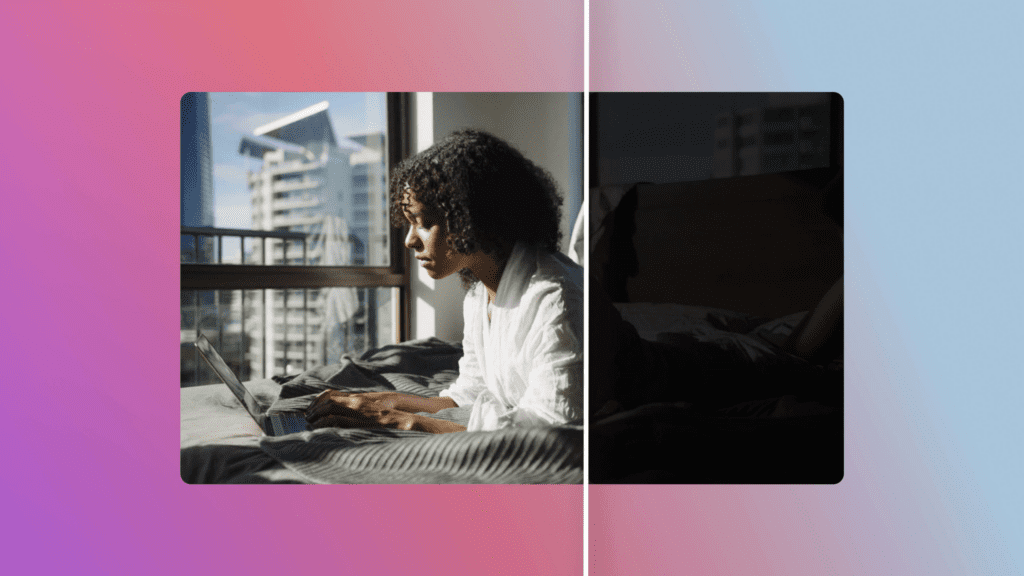
Use the social media video editor for steadiness and time-saving, not for personality. Let it handle captions, color baselines, light stabilization, and rough structure. You carry the human choices, where to pause, what to reveal, when to let silence speak. This balance keeps your channel scalable without sanding off feeling.
Start small: a 30–45 second piece. Choose one mood, one color temperature, one gentle track. Write a simple prompt that centers soft light and emotional clarity. Keep your edits slow, your text generous, your transitions invisible. Notice where the tool surprises you, it offers small surprises if you are patient. And when a frame feels unsure, give it warmth, space, and time. That’s usually all it wanted.