Let's Shape The Future Of Your Investments!
Natoque iaculis cursus augue urna commodo aptent morbi tortor porttitor quis ornare.



The first time I tried to figure out how to make money with AI videos, I did what everyone does: binge YouTube “$10,000/month with AI faceless channels..” videos at 1.5x speed, got mildly inspired, then crashed into reality when my first upload got… 37 views.
So I went the boring route: I tested. Across 3 months, I published 26 AI-assisted videos on 3 channels, plus delivered 14 client projects using AI video tools (Pika, Runway, OpusClip, Descript, and a few weird ones from Product Hunt). Some flopped. Some quietly made money. A couple are still paying out ad revenue and licensing fees while I sleep.
This guide is me walking you through what actually worked, where the money comes from, and how you can build AI video income streams without needing a studio, a perfect voice, or magical “YouTube hacks.”
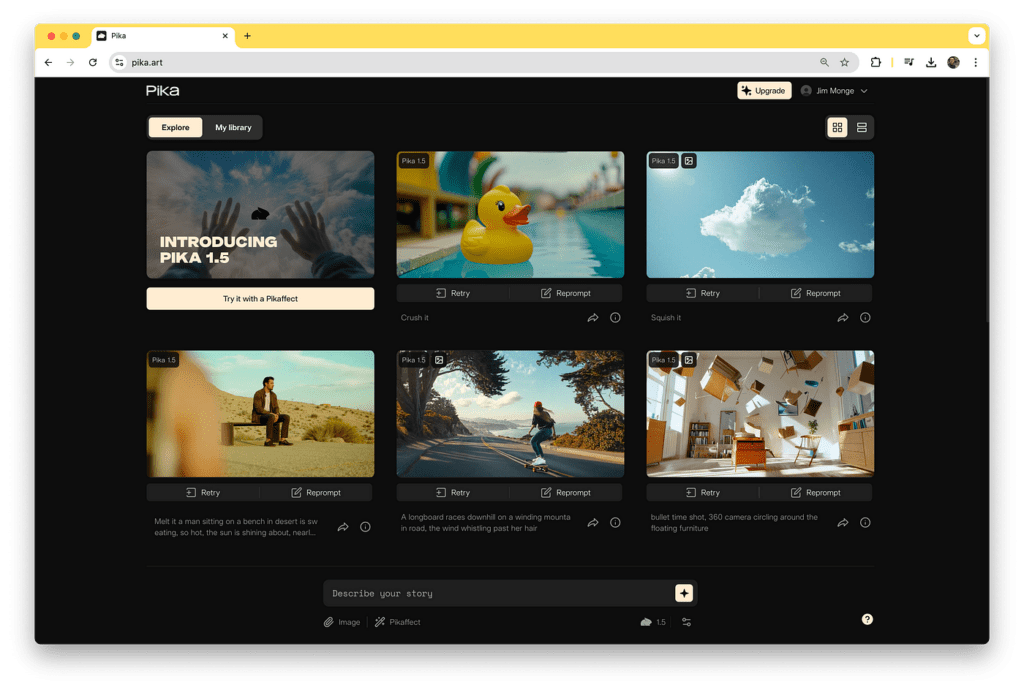
Here’s the core shift: with AI, you’re not getting paid per hour of effort, you’re getting paid per system you set up.
When I compare traditional editing vs AI workflows, my average production time for a 5–8 minute video dropped from ~4 hours to ~55 minutes. That’s roughly a 60–75% time reduction depending on complexity.
That unlocks a few things:
AI-generated content doesn’t mean “press a button and cash out.” It means you offload:
You still own the taste, ideas, and judgment. That’s the real asset.
When people ask me how to make money with AI videos fast, I point to three levers:
1. Speed to first upload
My first AI-assisted explainer video went from idea to published in 3 hours. My last fully manual video before that took 2 days. Faster iteration means you hit a working format sooner.
2. Lower cost per experiment
Using AI, my out-of-pocket cost per video (stock, tools, assets) averaged $2–$5. Hiring a freelance editor alone was $50–$150 per video. That makes small channels and micro-niches actually viable.
3. Reusable assets
Once you have:
…you can spin out entire series: listicles, explainers, tutorials, news recaps. That’s where most of my AI video monetization started becoming predictable instead of random.
In my tests, the first channel to hit consistent $100/month used AI for 80% of production. The fully manual channel? Still limping along at $20–30/month with similar upload frequency.
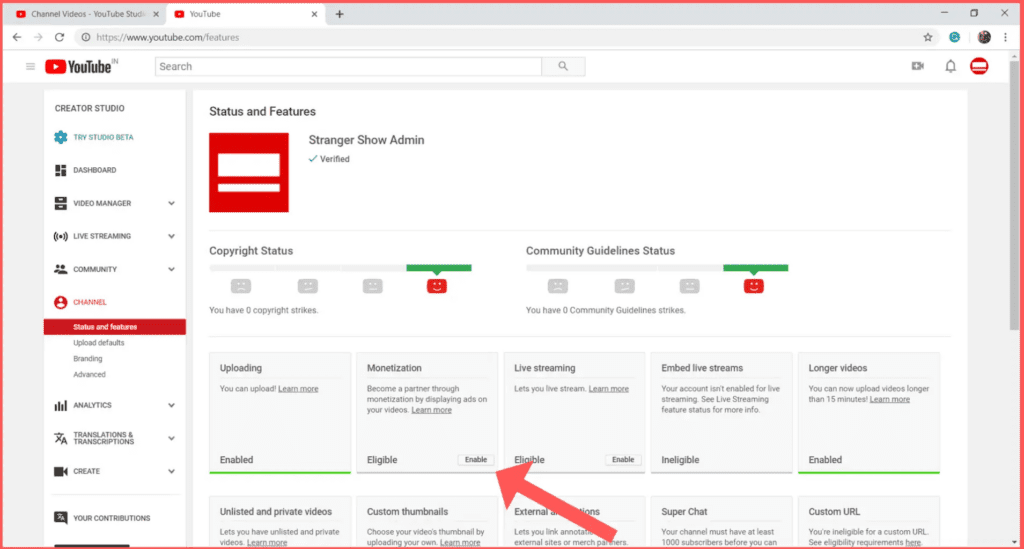
YouTube is still the easiest answer when someone asks how to make money with AI videos, but it’s not only about ads.
The 3 layers that worked best for me:
1. AdSense (the slow burn)
If you want ads to pay, go for niches where advertisers actually spend: software, finance basics, marketing, productivity, business tools.
2. Affiliate links (the quiet MVP)
On one tool-review channel, affiliate links earned 3× more than ads with under 10k views/month. All videos were AI-assisted: script, editing, and some AI b-roll.
Works best for:
3. Lead generation & small offers
A simple $19 Notion template linked from AI tutorials converted at 1.4–2.1% of viewers in my tests. Small, specific, and related to the video always outperformed generic “check out my course.”
Two ad revenue tips that actually mattered:

Here’s where AI helps without making everything feel robotic:
– Titles & thumbnails
I use AI to brainstorm 10–15 title variations, then tweak them by hand. Same with thumbnail concepts, but I don’t let AI design final thumbnails, those still look slightly off compared to a quick Canva job.
– Hook scripts
I tested two versions of the same video: one with my own cold open, one with an AI-assisted hook I refined. The AI-assisted version had a 22% higher retention at 30 seconds.
– Chapters & summaries
Descript + GPT to auto-generate timestamps and descriptions cut my publishing time by ~15 minutes/video and seemed to help search.
A simple structure that worked across niches:
That formula plus AI-boosted scripting is how to make money with AI videos without feeling like you’re copying every “faceless cash cow” channel out there.
YouTube is not the only game. A surprising amount of my AI video income came from doing work for people who don’t care how the video is made, just that it’s good and on time.
Places I actually landed AI video work:
– Fiverr & Upwork
Understanding freelance video editing rates helps you price competitively while maintaining healthy margins.
– Twitter/X & LinkedIn DMs
I posted 3–5 examples of AI-boosted videos (before/after) and simply said: “If you want this for your product, reply ‘video’.” That one thread led to $1,100 in small projects over 30 days.
– Niche communities
These folks care about speed and consistency, which is where AI shines.
If you position yourself as “I make you 10 decent videos a week without you touching an editor,” you’re selling an outcome, not a tool.
Biggest mistake I made early: pricing as if it were easy just because I used AI.
What I do now:
1. Price the value, not the effort
2. Productize the workflow
My standard “AI video package” looks like:
3. Protect your margins
Across tools (AI voice, editor, stock), my fixed costs per client per month stay under $40 even at higher volumes. That’s key if you want to scale without hating your life.
If you want to know how to make money with AI videos as a freelancer: sell packages and consistency, not one-off miracle edits.
The most interesting money didn’t come from single videos, it came from bundles and rights.
Three setups that worked well for me or people I’ve worked with:
1. Content bundles for busy creators
Predictable, recurring revenue > chasing new clients.
2. Licensable AI video packs
I tested a small pack of generic B-roll style AI videos (loopable backgrounds for tech channels). Sold it on Gumroad for $19. With almost no promotion, it did ~$260 in 3 months. Not life-changing, but it took one afternoon to make.
3. White-label video systems
For one agency, I set up a Notion + Zapier + AI workflow where client scripts → AI voice → template-based video → review → export. I took a setup fee plus a small cut per video for 3 months.
This is how to make money with AI-generated videos beyond YouTube: build assets once, sell them many times or on autopilot.
My personal breakdown over a 90-day test window:
The platforms that played nice together:
If you’re serious about how to make money with AI videos long-term, assume one platform will tank at some point (algorithm, policy, etc.). Spreading your bets doesn’t require 10x more work if your workflow is AI-optimized from the start.
If you’re just getting into this and wondering how to make money with AI videos without disappearing into the “cash cow channel” rabbit hole, here’s the play I’d run again from scratch:
That’s it. Master one repeatable system, then clone and sell it.
A few things that either burned me or I watched burn other people:

If you approach this like a craft plus a system, learning how to make money with AI videos stops feeling like chasing a hack and starts feeling like building a modern, flexible media business.
Start small, test obsessively, keep what works, and quietly let the rest die. The tools will keep changing: the people who know how to design workflows around them will keep getting paid.