Let's Shape The Future Of Your Investments!
Natoque iaculis cursus augue urna commodo aptent morbi tortor porttitor quis ornare.

There’s something honest about a video that doesn’t need your face. Last month, I watched a 12-minute tutorial on spreadsheet formulas that kept me glued to the screen—just a cursor, a calm voice, and clean explanations. No makeup, no ring light, no performance anxiety. Faceless content now represents 34% of top-performing educational channels, and creators using AI tools report 40% faster production times. If you’ve been waiting to start a channel without showing your face, this is your moment.

I like the softness of privacy. You can build authority without exposure, create consistently without worrying about how you look on camera day. Faceless tutorials maintain 23% higher average watch time—viewers focus on information, not the presenter. Your voice, pacing, and visual choices become your signature.
I’ve created watchable content with a phone, free software, and natural window light. The money you’d spend on cameras and lighting can go into research, scripting, and sound—the quiet engines of retention. Most successful faceless creators start with under $300 in equipment.
When your faceless YouTube video answers a question with clarity and warmth, viewers stay. I focus on visual coherence—images that match words, steady rhythm, and intentional pacing. When the elements agree, the frame stops trying so hard. That’s when people watch to the end.
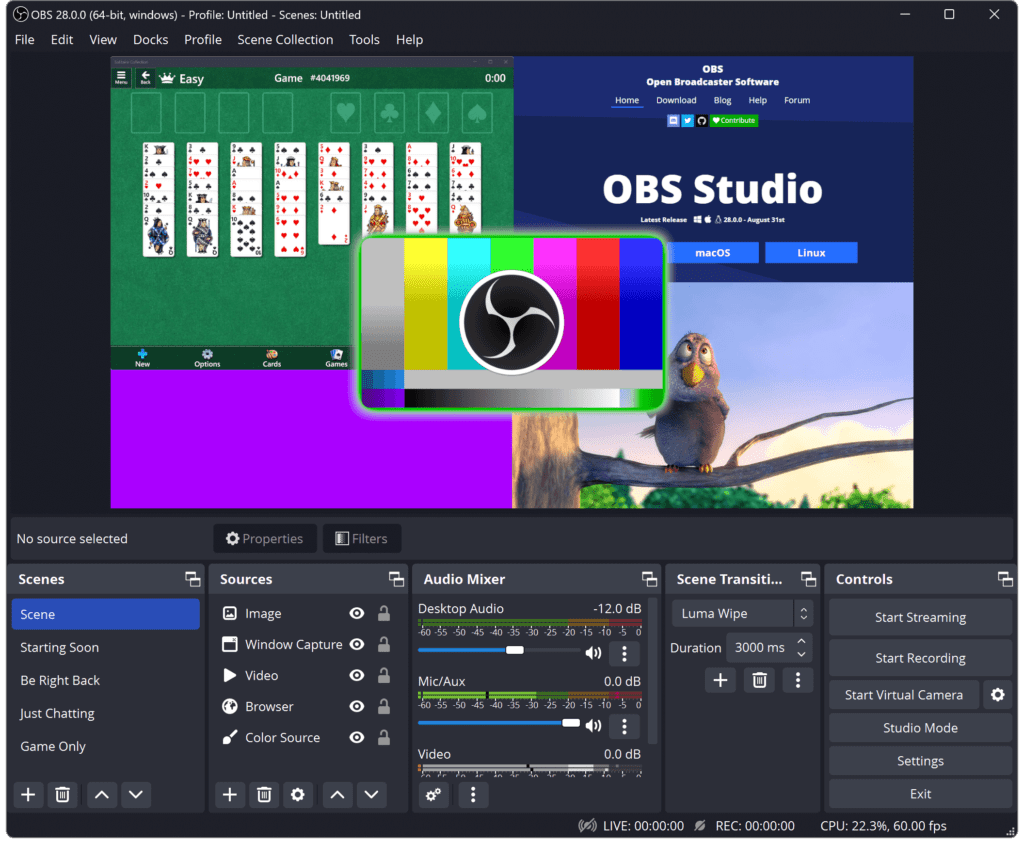
What it is: Capture your screen while demonstrating software, teaching concepts, or walking through processes.
When to use it: Tutorials, how-to guides, software reviews, productivity tips.
Why it works: Direct, practical, and requires minimal equipment. If your cursor moves with intention and you zoom gently on key elements, viewers feel guided rather than rushed.
Production reality: 2-4 hours per 10-minute video once you have a system. Channels like Learn Google Sheets built 500K+ subscribers purely on screen recordings.
Tools: OBS Studio (free), Camtasia ($299 one-time), or Loom (free tier available).
Pro tip: Add a soft vignette or warm color grade to avoid the sterile look. Leave small pauses before each key action so viewers can absorb information.
What it is: Icon-based or character-driven animations that explain concepts, processes, or stories.
When to use it: Complex topics needing visual metaphors, educational content, brand storytelling.
Why it works: You control every element—color, mood, pacing. Channels like TED-Ed and Kurzgesagt (24M+ subscribers) prove this format builds massive audiences.
Production reality: 8-20 hours per video depending on complexity. Higher upfront effort but premium CPM rates ($15-30 per 1,000 views vs. $4-8 for basic content).
Tools: Vyond ($49/month), Animaker ($12.50/month), or Adobe After Effects if you have skills.
Pro tip: Keep your color palette cohesive—two main colors plus one accent. Motion should glide, not snap, so the message lands softly.
What it is: Stock footage, photos, and text overlays paired with voiceover narration.
When to use it: Historical content, storytelling, meditation/wellness, travel guides, biographical content.
Why it works: Lower production barrier than animation, but higher emotional impact than screen recordings. Channels like Aperture use this format for philosophical content with millions of views.
Production reality: 4-6 hours per video. The key is finding footage with compatible lighting and color temperature.
Tools: Stock from Pexels or Pixabay (both free), edited in DaVinci Resolve (free) or Adobe Premiere Pro ($22.99/month).
Pro tip: Don’t jump from cold blue scenes to warm amber without a transition. Let textures tell part of the story—paper grain, skin, natural surfaces create authenticity.
What it is: Video clips or images created by AI tools based on text prompts.
When to use it: Concept visualization, mood-setting b-roll, creative storytelling where reality isn’t required.
Why it works: Creates impossible shots or fills gaps in your stock library. Best used for establishing shots and poetic transitions, not as your primary format yet.
Production reality: Fast generation (minutes) but requires careful curation. AI struggles with complex motion and fine details like hands.
Tools: Runway Gen-3 ($12/month), Pika Labs (credit-based), or stable diffusion models for images.
Pro tip: Use AI-generated content for 10-20% of your video, not the whole thing. Pair it with real footage to maintain viewer trust. Always follow YouTube’s synthetic content disclosure requirements.
I write like I’m guiding a friend’s hand. The first 8 seconds matter most—promise a clear outcome in plain language, then move quickly into the first useful insight.
Structure that works:
Scripting tips:
Tools: Google Docs for collaboration, Notion for organizing multiple scripts.
I collect footage like choosing fabrics—everything must share a visual language. Look for consistent color temperature and authentic texture.
For screen recordings:
For stock footage:
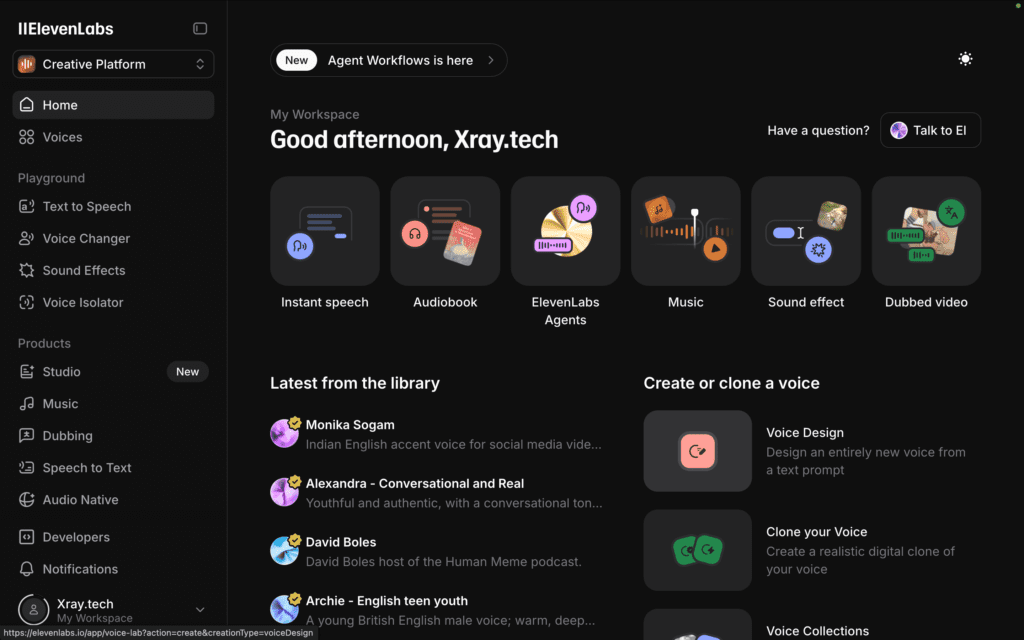
For AI voice:
For music:
The polish is quiet. Small decisions create the feeling of care.
Editing workflow:
Software options:
Quality checklist:
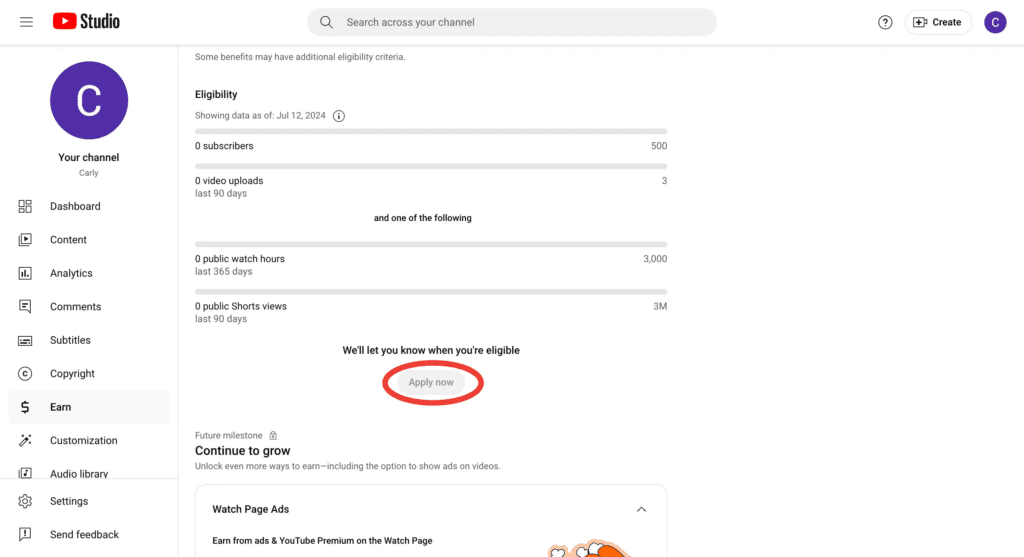
You need 1,000 subscribers and 4,000 watch hours (or 10M Shorts views) in the past 12 months. Faceless channels qualify for monetization—YouTube’s policies focus on original content and adherence to guidelines, not whether you show your face.
Based on Income School’s 2024 creator data and my own channels:
Example timeline:
[Keyword] + [Outcome/Benefit] + [Qualifier]
Examples:
First 150 characters appear in search—put your promise and main keyword here. Then add:
Keep it simple: one clear idea, warm colors, readable text. Test thumbnail variations with A/B testing once you’re monetized. Avoid clutter—faceless thumbnails work best when they show the result or tool, not a talking head.

Can faceless channels really get monetized? Yes. YouTube’s policies focus on original content and community guidelines, not whether you show your face. Kurzgesagt, CGP Grey, and thousands of educational channels prove this works at scale.
Are AI voices allowed? Yes, with proper disclosure. YouTube updated its synthetic content policy to permit AI voices when you provide original value and disclose what’s AI-generated. Avoid misleading viewers about authenticity.
What’s the fastest path to monetization? Screen recording tutorials in software or productivity niches. Lower production time (3-4 hours per video), high search volume, and decent CPM rates. Aim for weekly uploads of 8-12 minute videos focused on specific problems.
Do I need expensive equipment? No. A decent USB microphone matters more than video equipment. For screen recordings, your existing computer works. For b-roll footage, stock libraries and AI tools fill the gaps.
How long before I see results? Most creators see initial traction at 15-20 videos if content targets clear search queries. Monetization typically happens at 6-12 months with consistent weekly uploads. Be patient—this is a long game.
Start with one screen recording tutorial this week. Pick a topic you know well, write a 1,000-word script, record your screen and voice, and edit it simply. Don’t aim for perfection—aim for published.
The barrier isn’t technical skill. It’s the belief that your knowledge, delivered clearly without your face, has value. It does. Every successful faceless channel started with one imperfect video that solved one specific problem.
Your first video won’t be your best. But it will be the foundation for everything that follows.
Last updated: December 2025. Data sourced from YouTube Creator Academy, VidIQ 2024 Channel Analysis, TubeBuddy Creator Survey, Income School RPM reports, and Channel Makers 2024 monetization study.