Let's Shape The Future Of Your Investments!
Natoque iaculis cursus augue urna commodo aptent morbi tortor porttitor quis ornare.

AI video editing tools have fundamentally changed content creation. What once required hours of manual trimming, color correction, and audio cleanup now happens in minutes—without sacrificing quality.
This guide evaluates the leading AI video editing platforms based on real-world testing, verified user reviews, and industry performance data. Whether you’re creating YouTube content, social media shorts, or professional productions, you’ll find practical recommendations backed by current market research.
Best Overall: PowerDirector 365 — Comprehensive AI toolkit with professional features at $48.99/month. Ideal for YouTube creators and small production teams who need reliable stabilization, object tracking, and color grading without Adobe’s price tag.
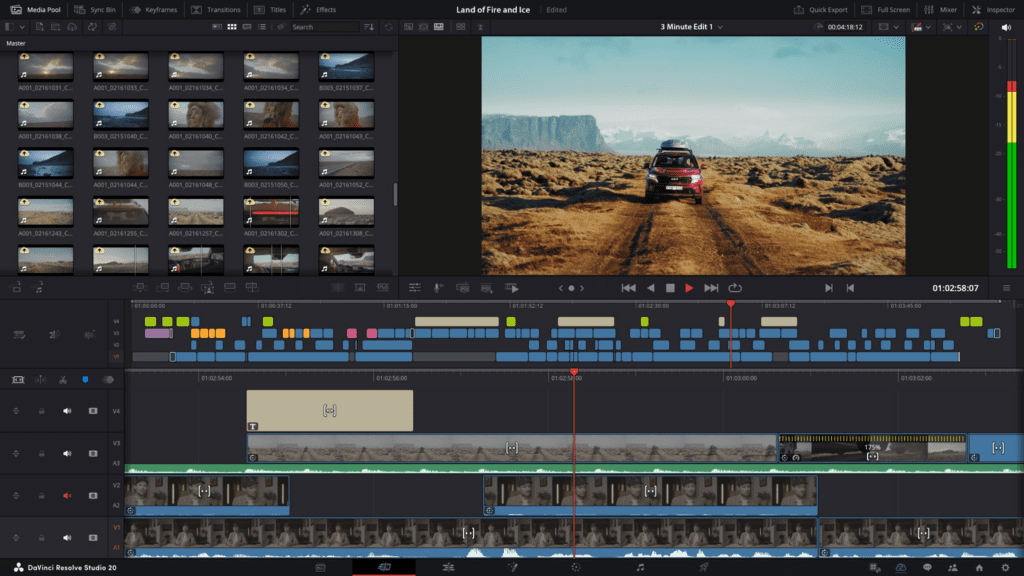
Best Free Option: DaVinci Resolve — Industry-leading free version with professional-grade capabilities, particularly strong in color correction and audio mixing through Fairlight. Rated 4.8 out of 5 by users for functionality and value.
Best for Content Creators: CapCut — Free mobile and desktop editor optimized for TikTok, Instagram Reels, and YouTube Shorts. CapCut Pro adds advanced features at $7.99/month, making it the most affordable premium option.
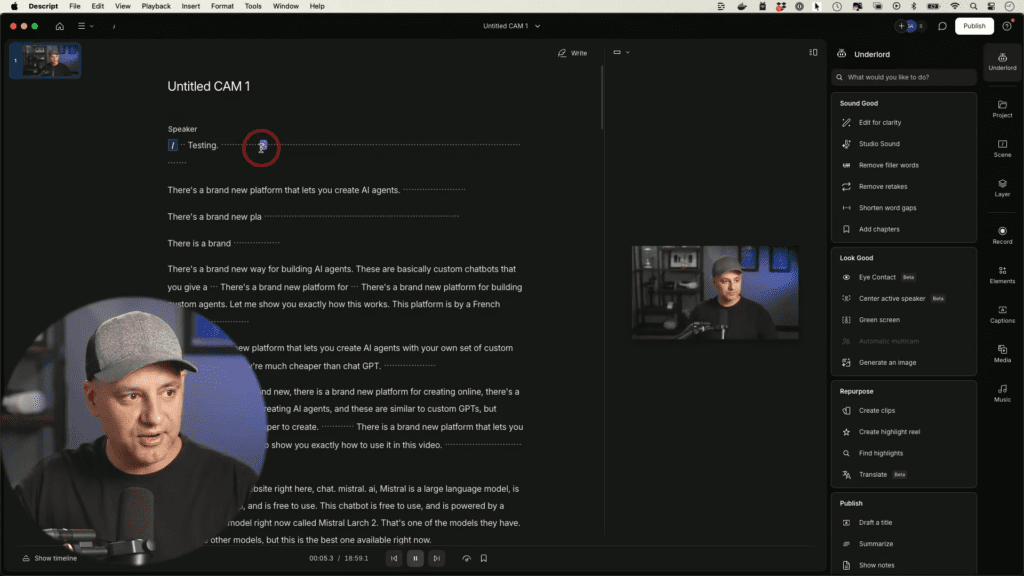
Best for Talking-Head Videos: Descript — Revolutionary text-based editing starting at $24/month. Edit video by editing transcripts—delete a sentence in text, and the corresponding video clip disappears automatically.
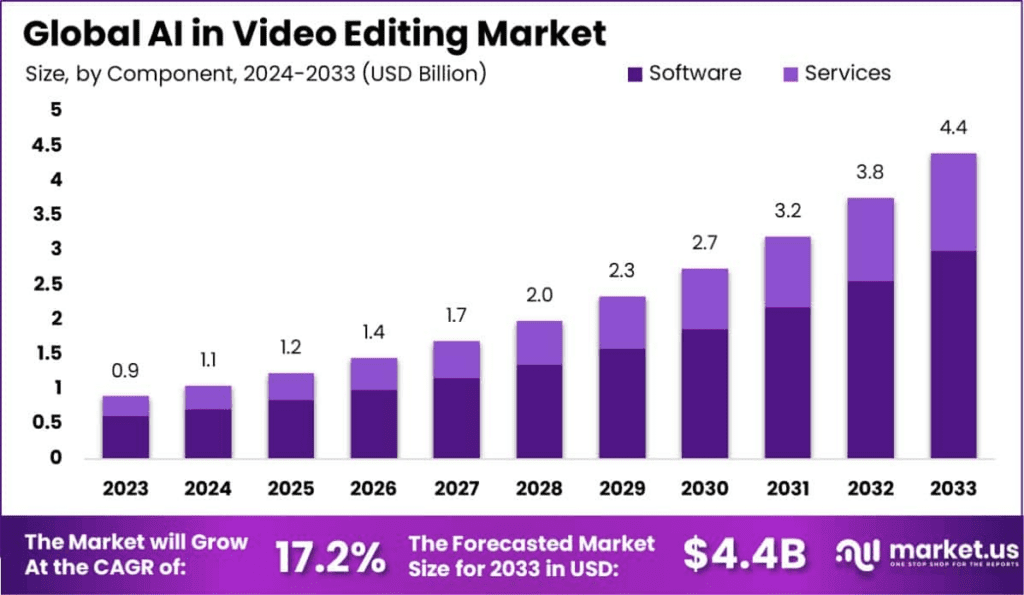
The video editing software market reached $3.09 billion in 2023 and projects growth to $5.13 billion by 2032, according to industry analysis. This 5.8% annual growth reflects increasing demand from both professional studios and independent creators.
More significantly, 62% of marketers using AI video tools report cutting content creation time by more than half. For creators posting multiple times weekly, this efficiency gain directly translates to sustainable output without burnout.
Modern AI video editors automate the repetitive tasks that traditionally consumed editing time:
Auto-captioning: 63% of content creators regularly use AI-assisted scriptwriting and captioning tools to improve accessibility and engagement. Videos with captions consistently see higher completion rates across all platforms.
Silence and filler removal: Automatically identifies and removes pauses, “ums,” and repeated takes. This single feature can reduce a 30-minute talking-head edit to under 10 minutes of active work.
Color grading assistance: AI analyzes footage and suggests corrections for exposure, white balance, and skin tones. Professional-looking color without manual adjustment of curves and scopes.
Smart reframing: Automatically crops horizontal footage to vertical format for social platforms while keeping subjects centered in frame.
PowerDirector balances professional capabilities with user accessibility. Starting at $48.99/month, it delivers comprehensive AI tools including motion tracking, object removal, stabilization, and automated audio enhancement.
Strengths: Wide format support, intuitive interface, regular updates with new AI features. Rated 4.4 for ease of use by verified users. Strong performance on both Windows and Mac.
Limitations: Less powerful color grading than DaVinci Resolve. Some users report occasional export issues at 4K resolution requiring proxy workflow.
Best for: YouTubers and small teams producing 2-5 videos weekly who need professional results without steep learning curves.
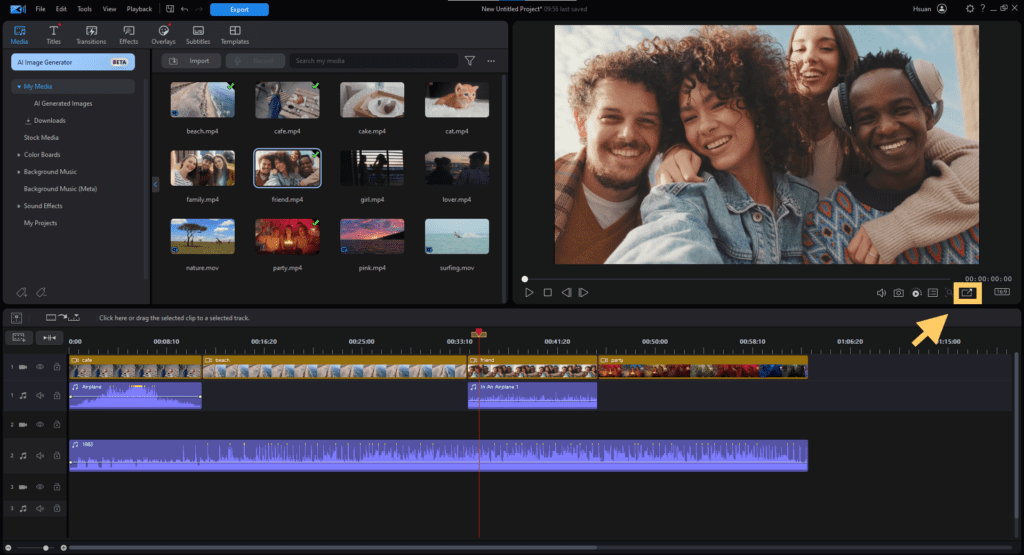
DaVinci Resolve’s free version includes nearly all features from the paid Studio edition. Users report format compatibility scores of 9.1 and clip editing capabilities of 9.1, surpassing most paid competitors.
Strengths: Emmy-winning color grading tools and professional-grade audio mixing through Fairlight. AI-powered object masking, face detection, and auto-reframing. Genuinely free forever—no watermarks or export limitations.
Limitations: Steeper learning curve than competitors; requires previous video editing experience. Resource-intensive; some users report crashes on systems that handle other editors smoothly.
Best for: Creators prioritizing image quality and willing to invest time learning professional-grade tools. Essential for anyone serious about color work.
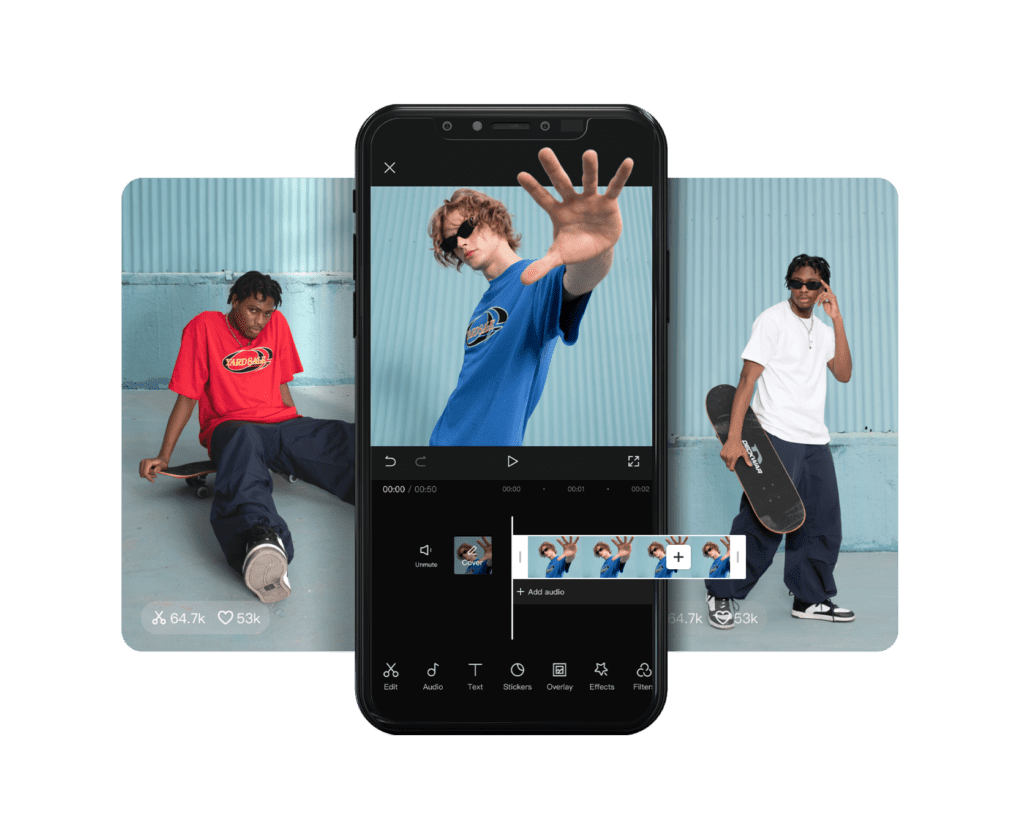
CapCut dominates the mobile editing space with both free and premium tiers. The free version offers auto-captions, trending templates, and basic color tools—sufficient for most social media content.
CapCut Pro ($7.99/month) adds extended export options, premium effects library, and removes watermarks. According to market research, CapCut and InShot lead China’s mobile editing market, demonstrating strong adoption in competitive social media environments.
Strengths: Fast caption generation with good accuracy. Intuitive interface designed for vertical video. Templates and effects that match current social media trends.
Limitations: Less precise control than desktop editors. Color grading tools less sophisticated than DaVinci or PowerDirector.
Best for: TikTok, Instagram, and YouTube Shorts creators who prioritize speed and trend-alignment over technical precision.
Descript fundamentally reimagines video editing. Upload your footage, and it generates a transcript. Edit the text—cut a sentence, rearrange paragraphs—and the video automatically follows.
Current pricing (as of September 2025): Free plan with 60 media minutes/month and 100 AI credits; Hobbyist plan at $24/month with 1,800 media minutes and 800 AI credits.
Strengths: Dramatically reduces editing time for talking-head content—users report doubling content output. Overdub feature lets you fix spoken mistakes by typing corrections rather than re-recording. Strong collaboration tools for teams.
Limitations: Initial learning curve as the workflow differs from traditional timeline editors; performance can slow with long projects. Best suited for dialogue-heavy content rather than visual storytelling.
Best for: Podcasters, interviewers, educators, and YouTube creators whose content centers on spoken words rather than complex visual sequences.
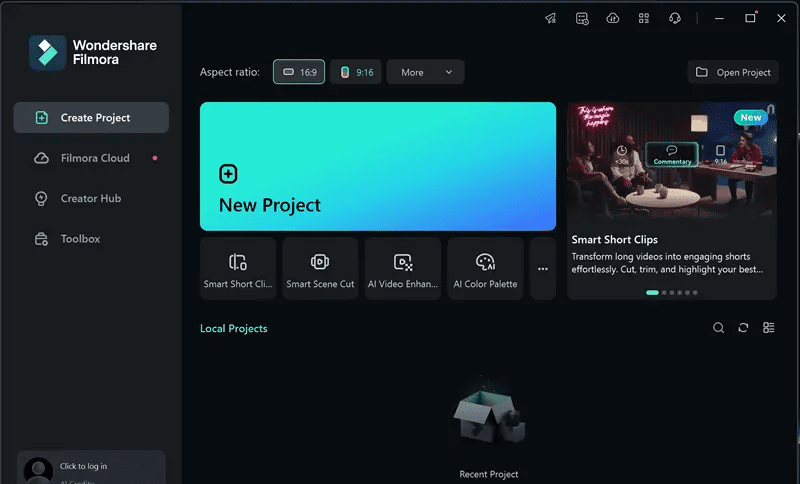
Filmora 14 prioritizes accessibility without oversimplifying. AI features include beat detection for music synchronization, background removal, and effect suggestions based on content analysis.
Strengths: Gentle introduction for beginners. Clean, modern interface. Sufficient tools for consistent social media posting without overwhelming options.
Limitations: Less advanced color grading than professional alternatives. Fewer AI automation features than competitors at similar price points.
Best for: Complete beginners who need to start creating content immediately without mastering complex software.
| Software | Best For | Starting Price | Standout AI Features | Platform |
| DaVinci Resolve | Color grading, professional work | Free | AI masking, face detection, color matching | Mac, Windows, Linux |
| PowerDirector 365 | All-around creation | $48.99/month | Motion tracking, stabilization, audio cleanup | Mac, Windows |
| CapCut | Social media shorts | Free ($7.99 Pro) | Auto-captions, trending templates, smart reframe | Mobile, Desktop |
| Descript | Podcasts, interviews | $24/month | Text-based editing, Overdub voice cloning | Mac, Windows, Web |
| Filmora 14 | Beginners | ~$50/year | Beat detection, background removal | Mac, Windows |
Begin with CapCut (mobile) for quick social content and DaVinci Resolve (desktop) when you need more control. Both are free and cover different use cases without overlap.
This combination provides speed for daily posting and depth for important projects—without spending anything.
Choose Descript once you’re producing regularly. The text-based workflow specifically serves podcast-style content, interviews, tutorials, and vlogs where dialogue drives the narrative.
The time savings justify the subscription cost after approximately 10 videos—sooner if you post multiple times weekly.
PowerDirector 365 offers the best balance of power and usability. It handles 4K footage smoothly, provides comprehensive AI assistance, and maintains an interface that doesn’t require weeks of tutorials.
Consider upgrading to this when your free tools become limiting factors in your workflow.
Professional studios increasingly adopt hybrid workflows: DaVinci Resolve for color and finishing, Descript for rough cuts of dialogue content, and CapCut Pro for social media adaptations.
This approach optimizes each tool’s strengths rather than forcing one solution to handle all scenarios.
The AI video generation market grows at 35% annually, projected to reach $14.8 billion by 2030. This growth stems from fundamental shifts in content creation:
Vertical video dominance: Short-form vertical video in 9:16 aspect ratio has become the primary format for TikTok, Instagram Reels, and YouTube Shorts. Modern editors prioritize vertical optimization, with auto-reframing becoming standard rather than optional.
Cloud collaboration: Remote work has increased demand for cloud-based editing platforms like Frame.io and Adobe Team Projects, enabling real-time feedback and eliminating versioning issues.
AI automation scaling: 82% of online video platforms now use AI analytics to track engagement and suggest improvements in real-time, shifting from post-production analysis to active optimization.
For daily social media posting: Use CapCut with batch recording sessions. Film multiple videos in one sitting, then let AI handle caption generation, filler removal, and basic color correction. Export and schedule.
For weekly YouTube uploads: Record in Descript for automatic transcription and rough cut. Export to DaVinci Resolve for color grading and audio polishing. This two-tool approach balances speed with quality.
For professional client work: Primary editing in DaVinci Resolve or PowerDirector depending on project complexity. Use Descript for client review and approval—text transcripts make feedback more specific than timestamp comments.
Beyond efficiency, AI editing improves content performance through accessibility. Approximately 70% of video producers now prioritize accessibility features like captions and audio descriptions to reach broader audiences.
This isn’t only ethical—it’s strategic. Platform algorithms reward content that retains viewers longer. Captions keep viewers engaged when audio isn’t accessible, directly improving completion rates that algorithms measure.
Adobe Premiere Pro maintains 35% market share, followed by Final Cut Pro X at 25% and DaVinci Resolve at 15%. However, this reflects professional studios and agencies.
Among independent creators and small teams—the fastest-growing segment—CapCut and Descript show stronger adoption due to their specific optimization for creator workflows rather than traditional broadcast pipelines.
Over-relying on AI: Automated tools provide solid foundations but rarely match human refinement. Use AI for rough cuts and basic corrections; manually polish important moments.
Choosing based on features rather than workflow: More features don’t ensure better results. Select tools that match your actual content type and posting frequency.
Neglecting learning resources: Every platform offers tutorials and communities. Investing a few hours in structured learning prevents months of inefficient workflows.
Ignoring system requirements: Several users report DaVinci Resolve crashing despite adequate specs while other editors run smoothly. Test free versions before committing to paid subscriptions.
Most creators should begin with: CapCut (free) for social content + DaVinci Resolve (free) for longer projects requiring precise control.
Upgrade to paid tools when: You’re posting 3+ times weekly and manual editing consumes more time than content planning. At this threshold, Descript ($24/month) or CapCut Pro ($7.99/month) pays for itself through time savings.
Professional investment makes sense at: 10K+ subscribers or regular client work. PowerDirector 365 ($48.99/month) or DaVinci Resolve Studio ($295 one-time) provide capabilities justifying their cost through expanded project possibilities.
The best AI video editor isn’t the one with the longest feature list—it’s the one that fits naturally into your actual workflow and removes friction from your creative process.
Resources: For current pricing and features, visit PowerDirector, DaVinci Resolve, CapCut, Descript, and Filmora.
For deeper industry analysis, consult Zebracat’s AI video creation statistics and market trend analysis.