Let's Shape The Future Of Your Investments!
Natoque iaculis cursus augue urna commodo aptent morbi tortor porttitor quis ornare.

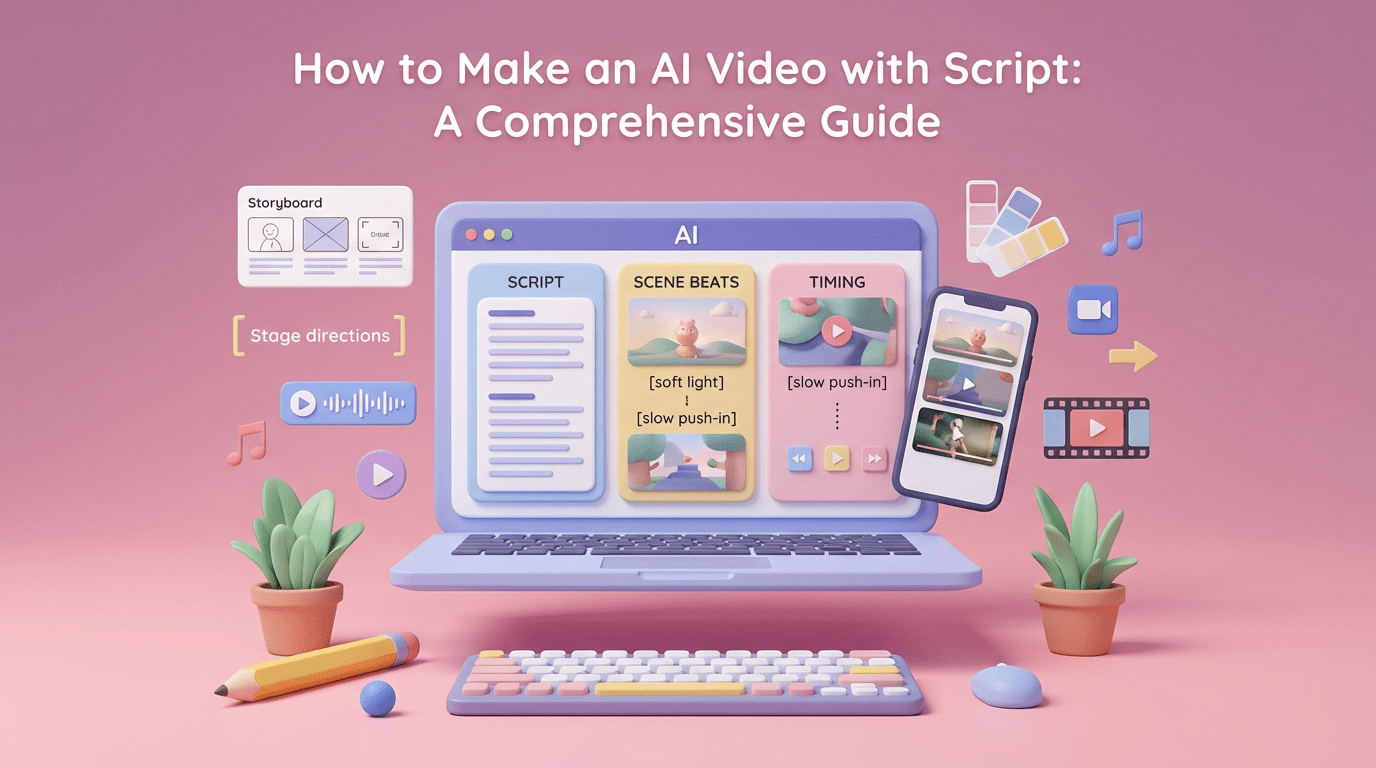
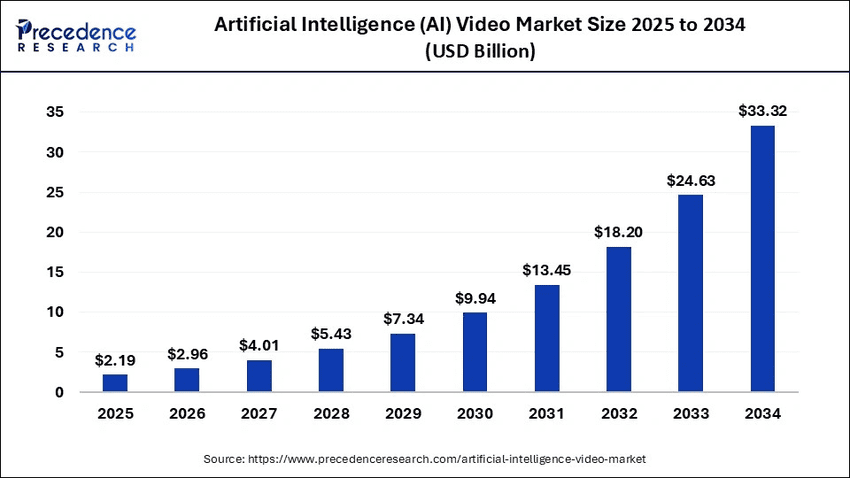
Script-to-video AI is changing how I build videos, quietly, steadily, and with far less friction. The global AI video market is projected to grow from $10.29 billion in 2025 to $156.57 billion by 2034, with a remarkable 35.33% compound annual growth rate (Precedence Research). When I turn a script into a video with AI, I’m not chasing spectacle: I’m looking for emotional coherence, clean light, and motion that feels intentional.
In this guide, I’ll show you how script-to-video AI can help you create videos that look calm and connected, even when time is tight. I’ll share how to write scripts the AI actually understands, which tools feel visually trustworthy, and a step-by-step flow for how to make an AI video with a script without losing your voice or your aesthetic.
What used to require a full day on set now often begins with a well-shaped paragraph. Script-to-video AI reads your words and proposes a visual rhythm, scenes, voice, music, and on-screen elements. When it works, the light feels gentle and the pacing is steady, as if the edit is breathing with you. The best systems translate tone into visuals: quiet scripts become soft: urgent scripts tighten the cuts. It doesn’t replace the human eye, but it shortens the path between intention and image.
For creators, this means more time for story and less time wrestling with logistics. I still step in to adjust color warmth, refine textures, and guide transitions, but the heavy lift, assembling a first pass that’s emotionally legible, arrives in minutes instead of hours.
Turning a script into video with AI removes the cost of booking locations, sourcing stock endlessly, or recording dozens of pickups. The AI drafts your visual structure quickly. I often get a workable cut in 10–20 minutes. The efficiency gains are measurable: marketing teams report cutting production time by over 50%, while corporate training departments save up to 49% of their video budgets through AI solutions. The savings show up in the quiet parts: fewer reshoots, cleaner narration, and an edit that starts close to my intent. You still need taste, choosing a warmer palette, softening contrast, guiding transitions, but the scaffolding appears instantly.
I’ve watched beginners create their first professional-looking video in a single afternoon. Because script-to-video AI handles pacing, voiceover, and b‑roll, you can focus on the emotional temperature of your story. This democratization is driving adoption across business sizes, with 50% of small businesses now using AI video creation tools. Even if you’ve never touched a timeline, you can pick a style, select a voice, and gently nudge the visuals toward your color preferences. The barrier to entry drops, but your sensibility still matters. If you bring a sense of light and mood, the results can feel surprisingly intimate.
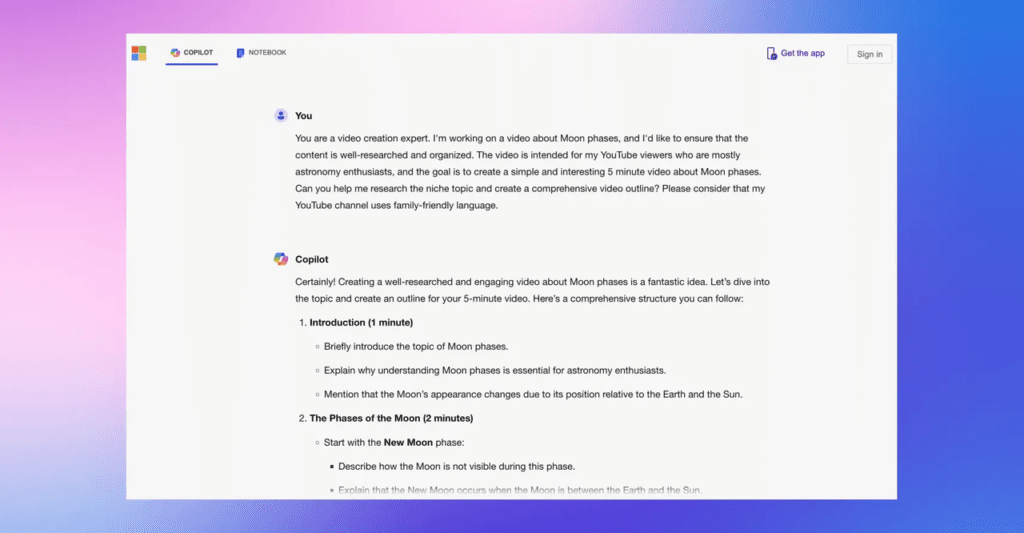
I keep paragraphs concise and emotionally intentional, no tangled sentences. The AI reads structure more than subtext, so I make the subtext a little less shy.
Insert gentle stage directions in brackets to anchor mood and texture:
These notes don’t need to be technical. I describe light as feeling, color as temperature, and motion as the character’s inner rhythm. The clearer the mood, the fewer mismatched shots later. If a background starts “breathing” in a way that doesn’t feel natural, I try more precise notes like [clean background, no flicker, neutral walls].
Length starts on the page. I time read-throughs out loud: about 130–150 words per minute for a calm delivery. For a 60‑second piece, I stay near 130 words and mark micro-pauses with ellipses or line breaks. Many tools let you set a target duration: I combine that with pacing notes like [linger 2s on this image] or [quick cut here]. The goal isn’t exact seconds: it’s a rhythm that feels emotionally even.
Synthesia is dependable when you need a composed, on-camera presence without filming. Avatars hold attention with calm steadiness: they rarely rush. Skin texture can feel slightly protected, polished, a touch safe, but for corporate explainers or tutorial intros, that restraint works. I warm the color temperature and soften contrast to avoid a clinical tone. The eyes can hesitate for a moment in darker scenes, so I keep backgrounds bright and simple. When used with clean framing and a gentle voice, it delivers a professional, reassuring mood.
Best for: educational modules, product walk-throughs, and scripted messages where consistency beats spontaneity.
Pictory assembles script-to-video quickly through captions, scenes, and stock or uploaded footage. Its strength is pacing: it creates clear beats and on-screen text that stays legible. I add bracketed notes for color and emotion so the stock choices feel less generic. When the tool’s auto-b‑roll feels too busy, I simplify, fewer shots with longer holds. With a patient pass, the results feel clean and emotionally coherent. It’s an easy way to create a video from script using AI without wrestling with a dense timeline.
Best for: YouTube summaries, social explainers, list videos, and repurposing blog posts into calm, watchable cuts.

InVideo AI feels agile. It moves from script to a styled cut quickly and offers templates that can be softened with lighter fonts and warmer tones. Sometimes the colors come in bold and expressive: I dial them back to keep the mood tender. Motion graphics are lively: if it struggles a little with fast motion, I choose transitions with less splash and more glide. The end product can feel energetic yet controlled if you guide it with gentle color and pacing notes.
Best for: social-first creators who want speed with tasteful restraint, TikTok how‑tos, Reels tips, and quick promos with clarity.
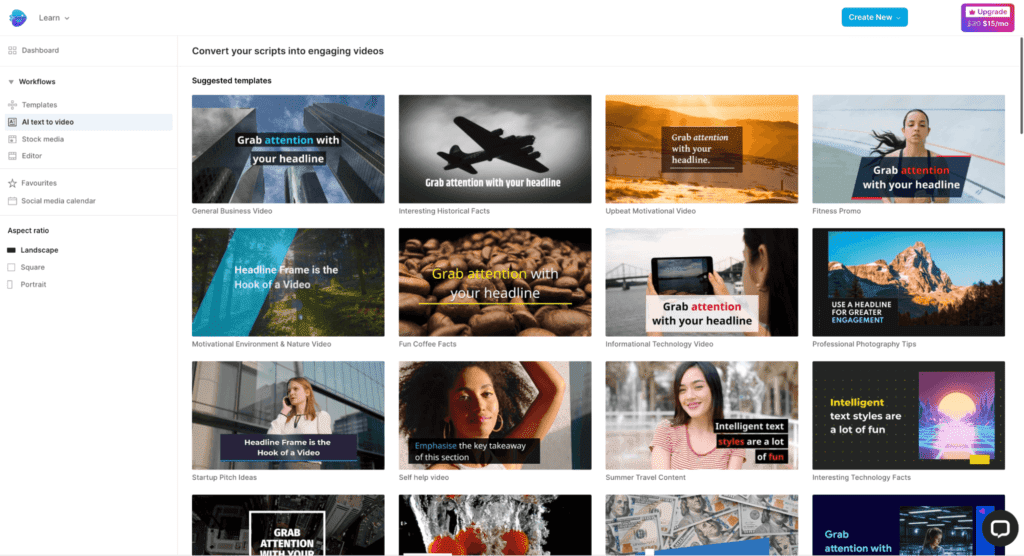
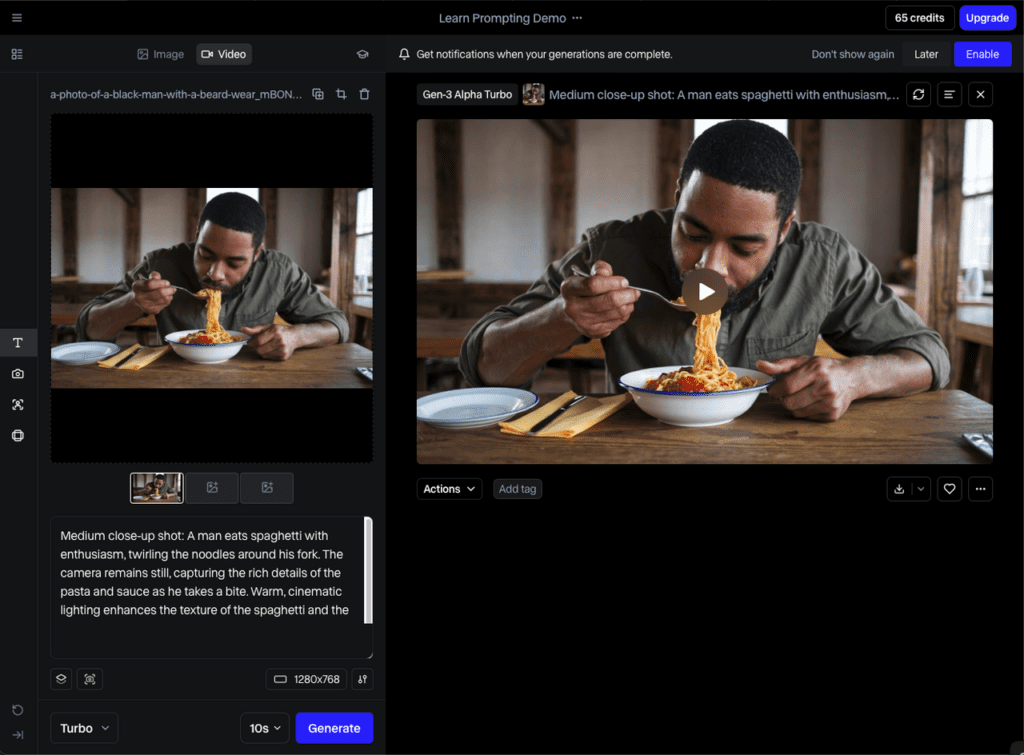
Runway ML leans into experimentation. If your script asks for more cinematic textures, soft natural light, subtle camera moves, collage-like layering, Runway offers small surprises if you are patient. Identity can drift with aggressive effects, so I keep the character’s look stable through repeated visual cues: similar wardrobe, consistent light, matching skin tone. When handled with care, the images gain a handcrafted feel. The background can sometimes pulse: I counter with simpler spaces and steadier shots.
Best for: artists and editors who want expressive, mood-led pieces and have the time to refine frames until they feel true.
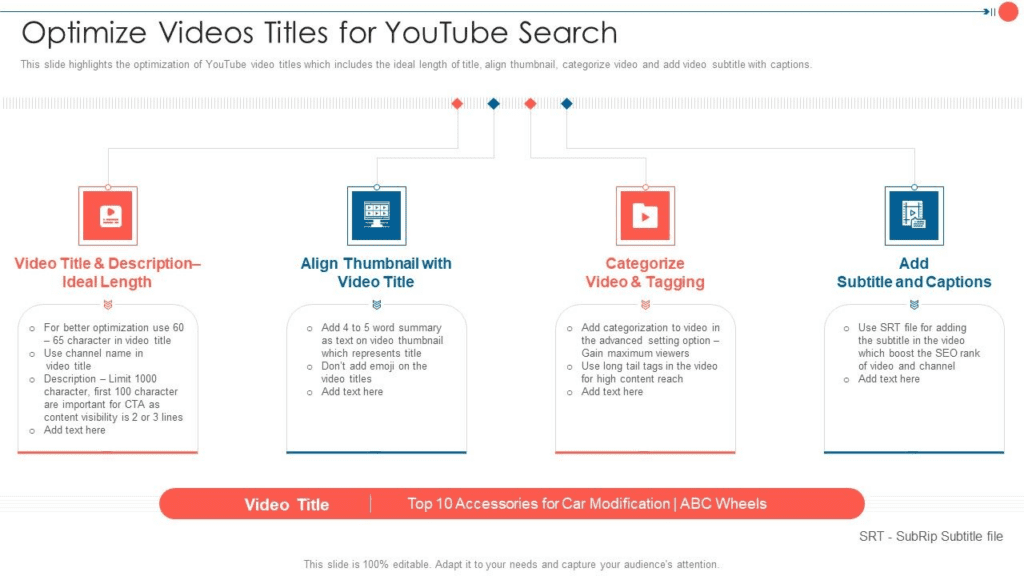
YouTube
TikTok & Reels
Across platforms, describe your video clearly: “Created with script-to-video AI: soft natural light and calm pacing.” It signals care, not gimmick. When viewers feel guided, by light, color, and rhythm, they stay. And that’s the quiet success of this new workflow: speed without losing tenderness.
A gentle closing thought: tools are fast, but your taste is the compass. If you keep your color warm, your edits patient, and your backgrounds honest, script-to-video AI becomes a collaborator, not a shortcut, helping you shape videos that feel both efficient and beautifully human.