Let's Shape The Future Of Your Investments!
Natoque iaculis cursus augue urna commodo aptent morbi tortor porttitor quis ornare.

A few minutes before sunrise, I generated a series of portraits, soft sidelight, the hush of cool blue shadows, a single glint in the eyes. Watching how Stable Diffusion and Midjourney handled that hush told me more than any specs ever could. One held onto the grain of skin and the texture of fabric: the other leaned into atmosphere, blooming light in a way that felt almost cinematic.
In this guide, I’ll share what I actually saw in recent tests and public gallery examples, and what other creators can reliably expect today. I’ll keep the focus on visuals, light behavior, texture, emotion, motion for short GIFs or video handoffs, and overall stability, so you can choose the right tool with confidence.
On my screen, Stable Diffusion feels like a studio you can rearrange. It’s open, modular, and willing, especially in SDXL-era models and newer releases that improved text fidelity and photorealistic detail. Instead of a single walled garden, it’s a network of lighting kits, camera lenses, and backdrops that you can wire together.
Visually, I notice a steady hand with textures. Skin pores feel tangible if you guide them: fabrics reveal weave and weight: product surfaces hold specular highlights without melting. With the right checkpoints and LoRAs, I can nudge the model toward a quiet documentary look, or something fashion‑forward with crisp rim light.
Field notes from recent use and community examples:
My insight: Stable Diffusion rewards intentionality. It’s not about pressing “go”: it’s about shaping. If you enjoy controlling light direction, grain, lens behavior, and small corrections, it meets you halfway. The gentle takeaway: treat it like a flexible camera system, set up your scene, iterate, and let the details bloom.
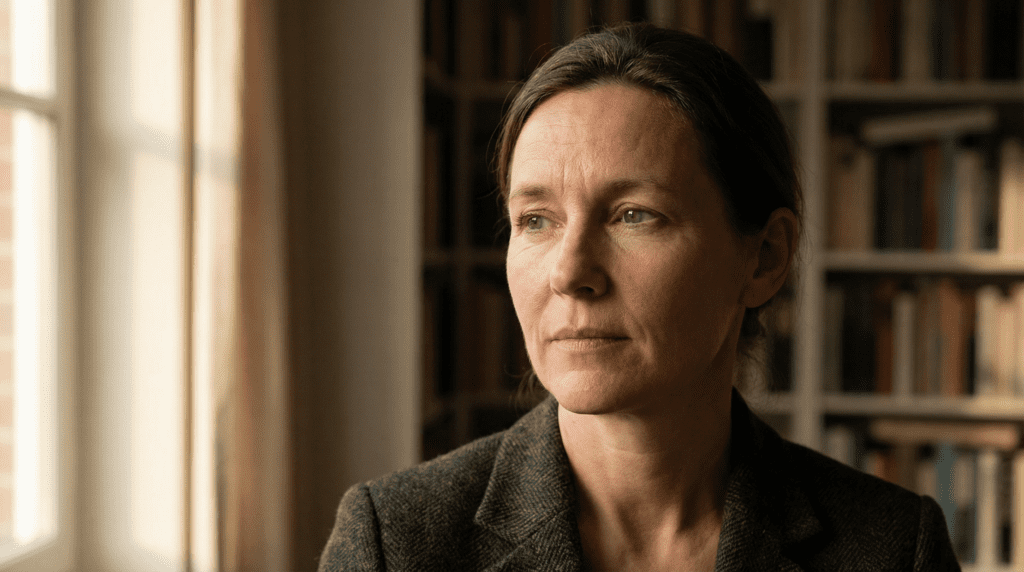
The first time I switched from a base SDXL model to a fine‑tuned portrait checkpoint, the mood shifted, the skin tone settled, highlights softened, and the eyes finally caught light realistically. That’s the strength here: extensibility.
What stands out visually:
Small imperfections I still watch for: plastic smoothing when denoising too aggressively: eye reflections duplicating when upscalers push too hard: backgrounds “breathing” slightly between passes in video-to-video workflows.
My insight: Stable Diffusion excels when you need customization and reproducibility. It’s adaptable for brand visuals and product work where details matter. Gentle takeaway: if you’re the kind of creator who sketches with layers, you’ll appreciate how SD lets you place each layer of light, texture, and tone exactly where it belongs.
In practice, I reach for Stable Diffusion when I need:
Takeaway: Stable Diffusion is ideal for creators who want a controllable, extensible craft, illustrators, brand designers, indie filmmakers doing look-dev, and anyone who likes to steer the light rather than surrender to it.
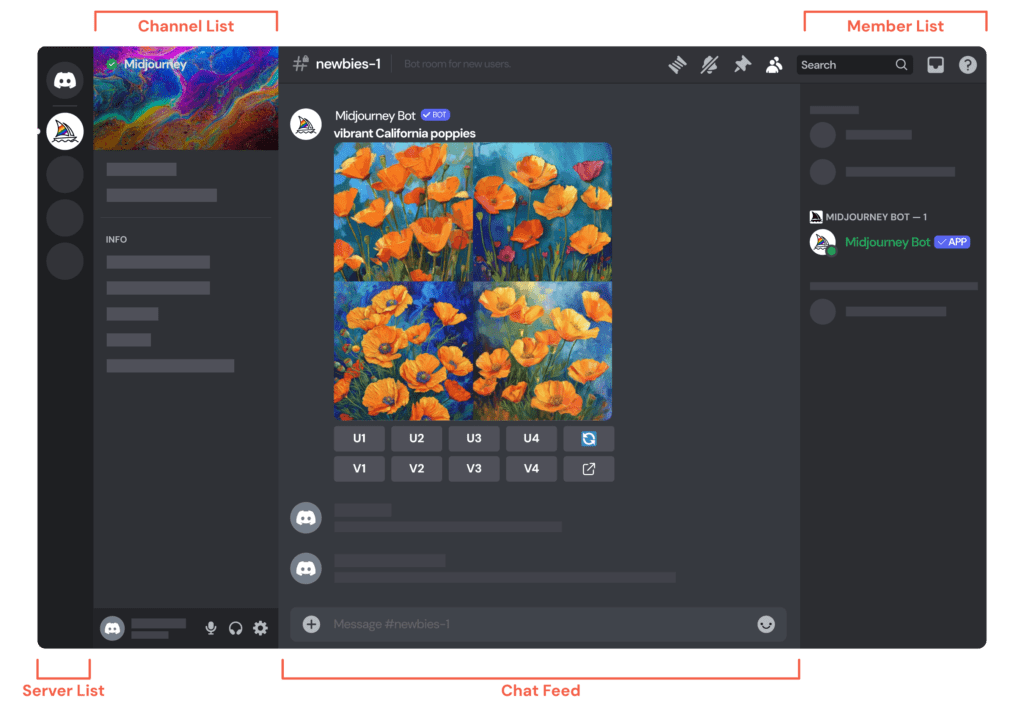
Midjourney often feels like walking into a gallery at golden hour. The light is flattering, the compositions are bold, and the atmosphere is curiously cohesive. I tested sequences with moody interiors and bright outdoor scenes: in both, Midjourney carried a confident visual voice, especially in newer model versions known for improved prompt comprehension and text detail.
On Discord, the flow is conversational. You describe a scene, it offers candidates, and you refine. The outputs arrive already “styled,” as if a gentle art director had swept through. It’s less about wiring tools together and more about curating the best take.
Field notes from real use and public community feeds:
Insight: Midjourney favors aesthetic unity. It’s visually persuasive out of the box and strong at mood. Gentle takeaway: if you want fast, emotionally cohesive images without heavy setup, Midjourney’s cadence will feel natural.
In a series of fashion images I prompted at twilight, Midjourney delivered atmospheric color transitions, cool violets, a blush of orange on skin, and a gentle halation around hair. It’s gifted at cinematic light.
Strengths I consistently see:
Small imperfections: a tendency toward “prettiness” that can override gritty realism: occasional over-sharpening in fine fabrics: and when pushing extreme styles, backgrounds can pick up ornate, unintended patterns.
Insight: Midjourney is ideal for ideation, concept art, moodboards, social content, and editorial visuals where speed and atmosphere matter. Takeaway: think of it as a creative partner with great taste, one that loves a dramatic shaft of light and a confident composition.
I’ve leaned on Midjourney when I need:
Takeaway: choose Midjourney when you want to feel the image quickly, when mood, pace, and visual charisma are more urgent than micro-control.
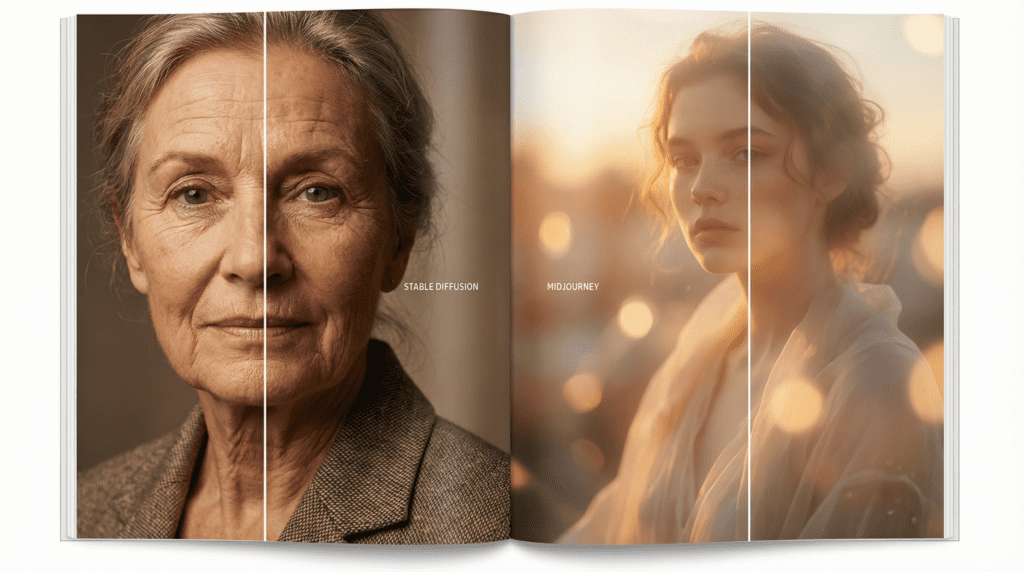
I set up a simple test: a woman by a window, soft morning light, linen shirt, minimal makeup. In Midjourney, the image arrived with luminous warmth, skin gently diffused, shadows clean. In Stable Diffusion (with a strong portrait checkpoint), I saw more manageable texture: pores, edge falloff along the jaw, and a slightly truer fabric weave. Both were beautiful, but different in intent.
Reality check from repeated observations:
Takeaway: for immediate, high-impact polish, Midjourney: for tailored realism with control over the smallest details, Stable Diffusion.
When I push into surrealism, glittering rain, floating dust motes, a city in shallow focus, Midjourney serves bold, cohesive style with painterly confidence. Stable Diffusion can meet or exceed that range using custom models and LoRAs, but it asks for craft: references, control passes, and iteration.
Patterns I noticed:
Takeaway: choose Midjourney to explore striking looks quickly: choose Stable Diffusion to engineer a distinctive house style over time.
Speed feels different in each tool. Midjourney is fast in spirit, you prompt, you pick, you publish. Stable Diffusion can also be quick on modern hardware, but the efficiency shows in workflows: batch runs, inpainting, ControlNet, compositing, and exact reproducibility.
Notable differences I rely on:
Takeaway: if time-to-image is everything, Midjourney feels effortless: if you value pipeline control and consistent reruns, Stable Diffusion scales better.
I’ll be gentle and clear here because these policies shift. Historically, Stable Diffusion has remained accessible through local installs and various community UIs with no per‑image fee beyond your compute. Hosted services (like official portals or third‑party sites) typically use credits. Midjourney has offered occasional trials in the past, but at times trials are paused. If you’re deciding today, check each platform’s current page, these change.
Takeaway: if you want persistent free experimentation, Stable Diffusion via local setup is the most reliable route. Midjourney’s free access may appear and disappear.
Midjourney’s paid tiers generally unlock more fast generations, private mode options, and higher concurrency. The value shows if you live inside Discord and need volume with minimal setup.
For Stable Diffusion, paid value often comes from where you run it: cloud credits for official services, or investing in your own GPU to work locally. The math depends on your usage, heavy daily creation can favor local hardware: sporadic use might fit a credit model.
Takeaway: budget for Midjourney as a subscription mindset: budget for Stable Diffusion as either hardware (one-time) or credits (pay-as-you-go).
Midjourney runs inside Discord on desktop and mobile, which is wonderfully accessible for teams already there. Stable Diffusion is platform-flexible: Windows, macOS (including Apple Silicon via community builds), Linux, plus many web UIs. That flexibility helps when you need consistent outputs across a studio pipeline.
Takeaway: if your workflow lives in Discord, Midjourney is frictionless: if you need local control or custom pipelines, Stable Diffusion adapts.
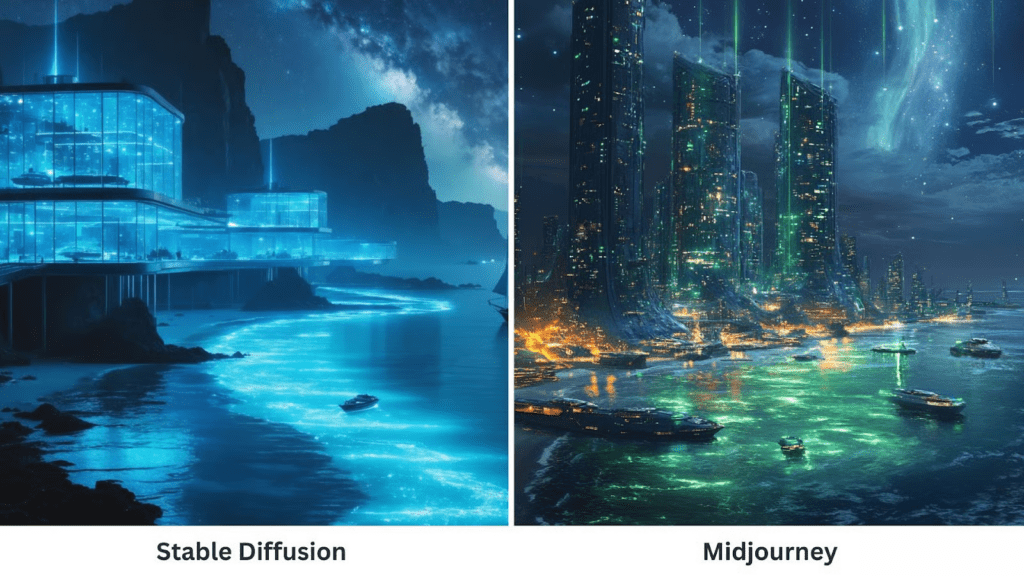
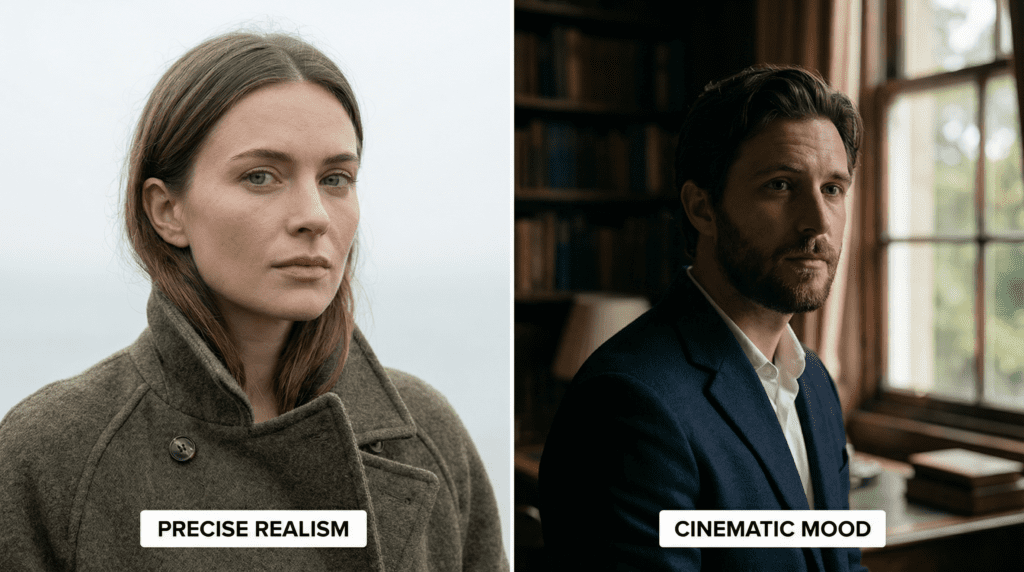
I like to start with a feeling. If I need fast images that carry a clear mood, glossy portraits, dreamy environments, stylish product hero shots, I reach for Midjourney. If I need controllable realism, brand consistency, or technical specificity (matching lenses, keeping logos clean, iterating an exact pose), I go with Stable Diffusion.
A simple guide I use:
Gentle answer to “which is better?”: the better tool is the one that protects your story, either through speed (Midjourney) or control (Stable Diffusion).
Some of my favorite images start in Midjourney and finish in Stable Diffusion. I’ll generate a strong, atmospheric base in Midjourney, because it composes bravely, then bring that frame into Stable Diffusion for inpainting, edge cleanup, and text or product adjustments. The mood stays: the details tighten.
Another hybrid: storyboard with Midjourney for the visual language, then recreate key frames in Stable Diffusion to establish a consistent, controllable style for production assets.
Takeaway: let Midjourney be your spark and Stable Diffusion your scalpel. The pairing is potent.
A few habits that keep my images calm and coherent:
Closing thought: I look for the quiet moment, how shadow rests on skin, how fabric catches the room’s color. Midjourney delivers that moment fast: Stable Diffusion lets me shape it. If you honor what each does best, your images will feel less like outputs and more like photographs of a world you directed, one measured breath of light at a time.
Visit the tools and experiment to see which one creates the art style that best fits your vision!